
$auto.ref().field() - Referenced Instance Fields
This keyword enables you to insert in a given definition a read-only copy of a field of another definition that is being referenced. With $auto.ref().field() you can thus obtain the field values of referenced instances and display them in the instances of that another definition. While the argument of $auto.ref() needs to be the name of a internal field configured with a $ref() or $extRef() keyword, the argument of .field() needs to be the name of the original field of the external definition that is being referenced.
Usage:
$auto.ref(name of the local reference field).field(field name of the referenced definition)Options:
name of the local reference field: The name of the field in the definition that has the$ref.field name of the referenced definition: The name of the field that is part of the$refdefinition name from where the value will be read
Examples:
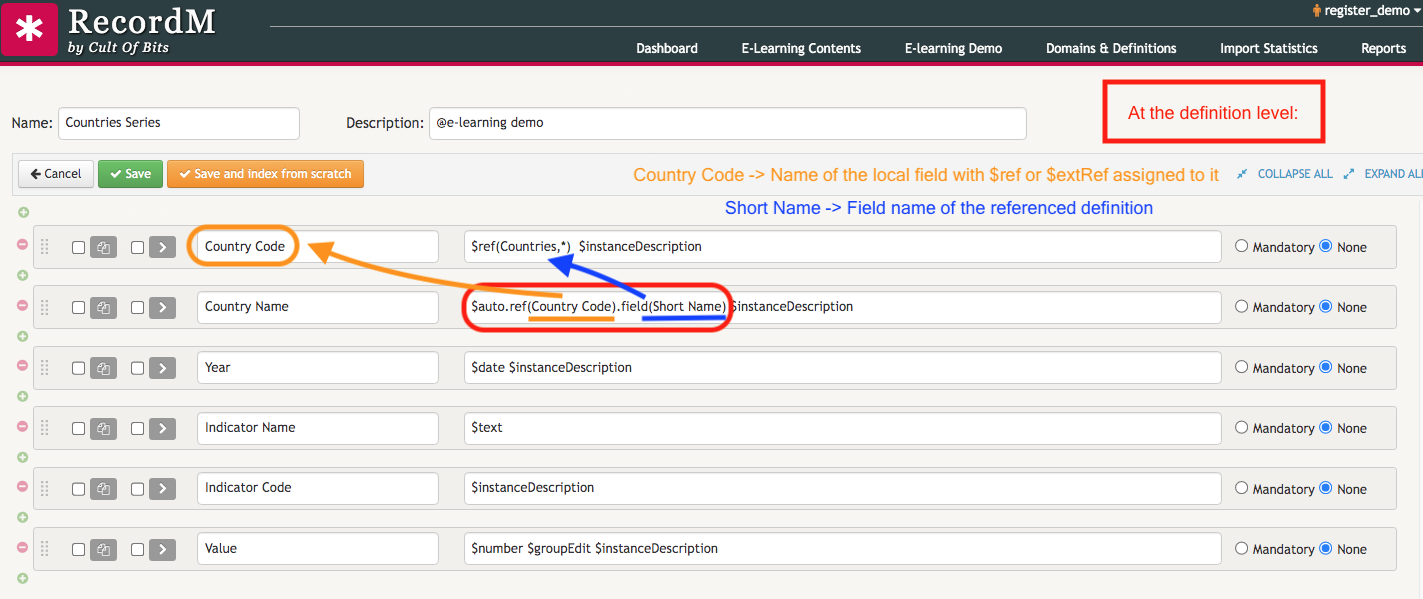
$auto.ref(Country Code).field(Short Name)In the example given below we are using Country Code as the local reference field with a $ref keyword assigned to it for the first parameter and Short Name as the name of the field belonging to the Countries definition as the second parameter:
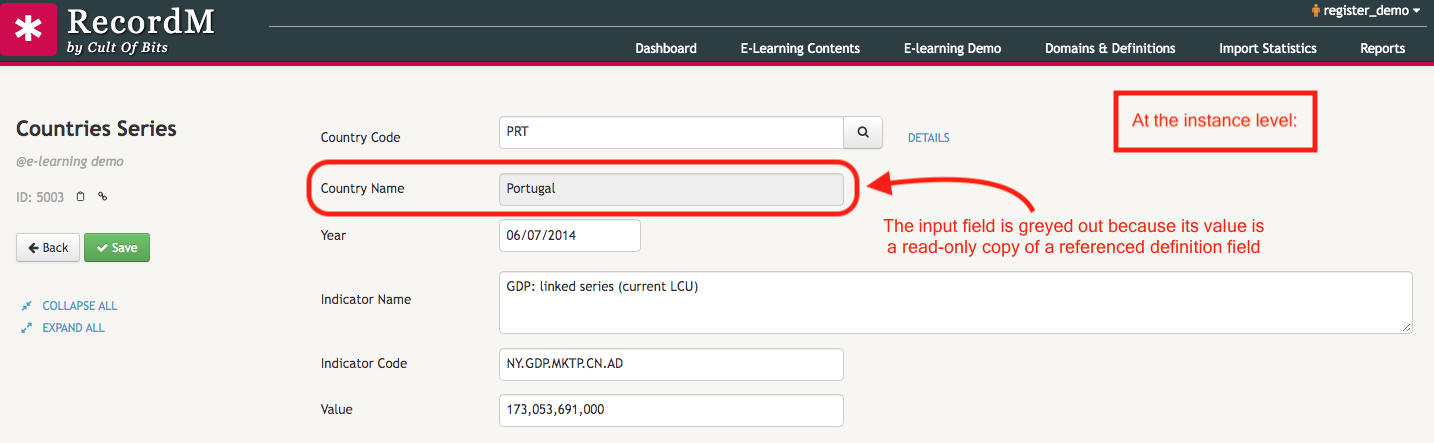
At the instance level, this means the input text box for Country Name will be greyed out and pre-filled with a read-only copy of a referenced definition field - which, in this case, is Short Name.
We include below a small video where you can see how to use the $auto.ref().field() keyword in your definitions.