Command Execution
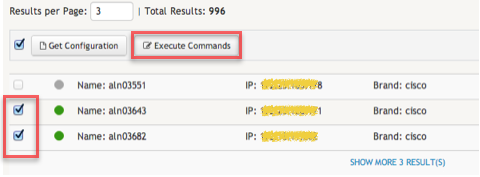
To execute a set of commands on one or more devices, first search for the desired devices by entering a query on the search box. From the search result list, select the desired devices. Do note that commands can only by simultaneously executed on devices with the same brand. After the first device is selected, you will only be able to select devices with the same brand of that first device. After you finish selecting all the relevant devices, click on the Execute Commands button located on the actions bar that can be found above the results listing, on the left side of the page. Clicking this button will open the command execution wizard.
Next, the command execution wizard provides a simple command editor. You can use the editor to enter the set of commands you want to execute on the devices. The text editor supplies some basic text editing features like searching, search text highlighting, tab char visualisation, etc.
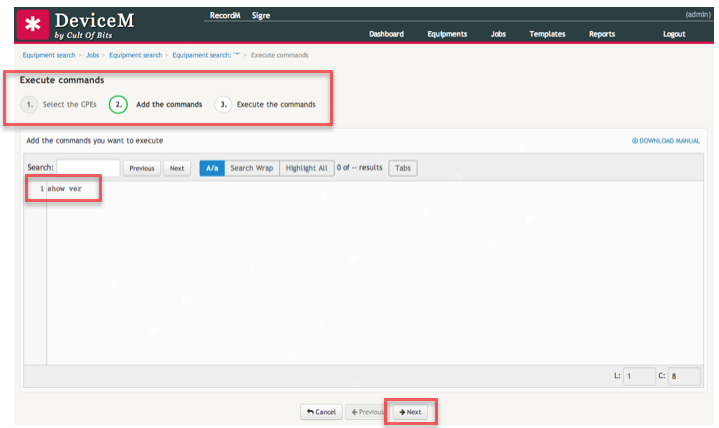
After entering the commands you want to execute, click on the Next button below the editor to perform the requests on the selected devices. On the example included above we are executing the show ver command on a Cisco device.
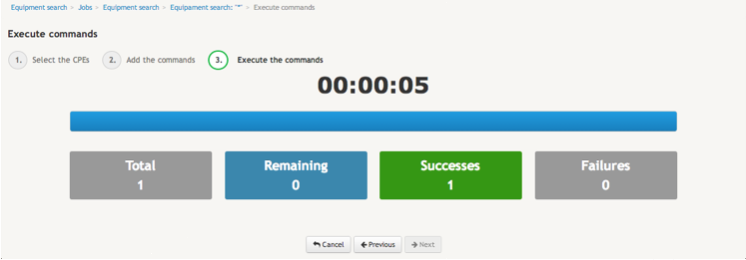
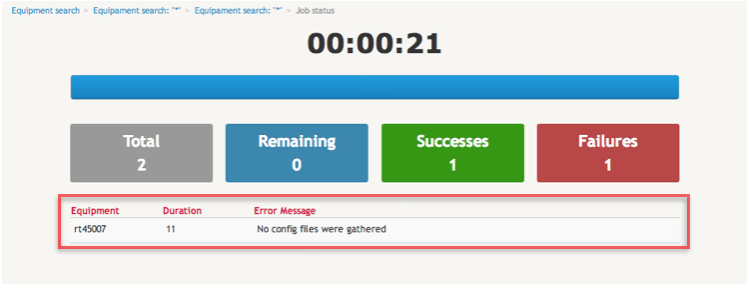
Finally, the command execution wizard shows the execution status and the time in seconds it took to complete the requests. In case the wizard fails to complete the operation on one or more devices, it will also report the error found on each device - one per row. Each row will include the name of the device, a error log message and the execution time of the commands on that given device.