
Instance Viewer
Visualizing instances and their content is a core feature of RecordM. Previously, to view an instance, users had to navigate to the instance's dedicated page. However, the Instance Viewer component introduces the ability to access this functionality directly within a dashboard. This enhancement allows users to view instances either statically or dynamically, especially when combined with orchestration alongside other dashboard components.
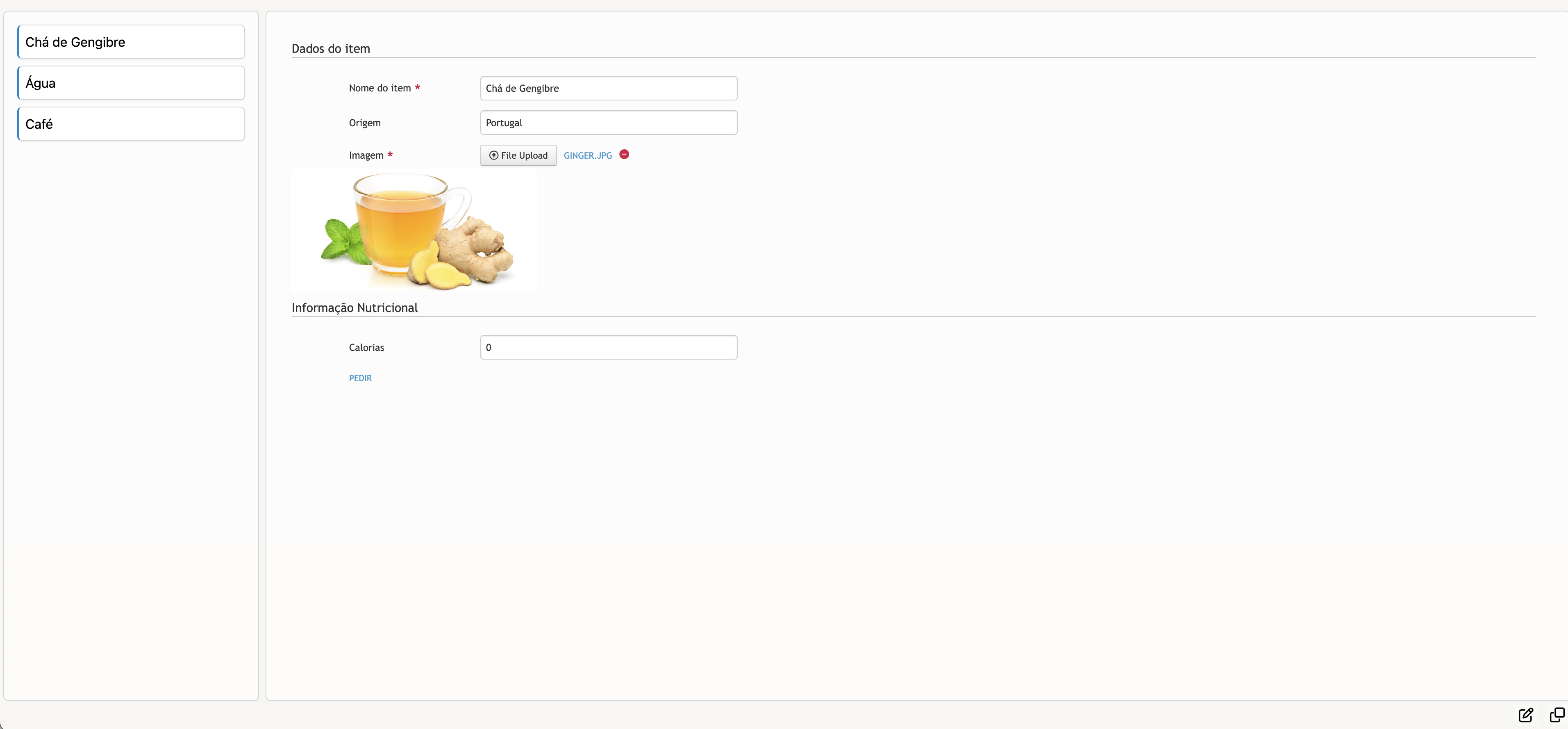
Below is an example of the Instance Viewer component in action, displaying a simple instance within a dashboard containing multiple boards.
TIP
Frontend JavaScript customizations, such as customizeInstances, are fully compatible with the Instance Viewer and will execute in the same way they do on an instance's dedicated page. To control whether these customizations are executed, you can implement logic to check if the URL includes "cob.custom-resource" or "dash", allowing you to block or permit these customizations accordingly.
Component Structure
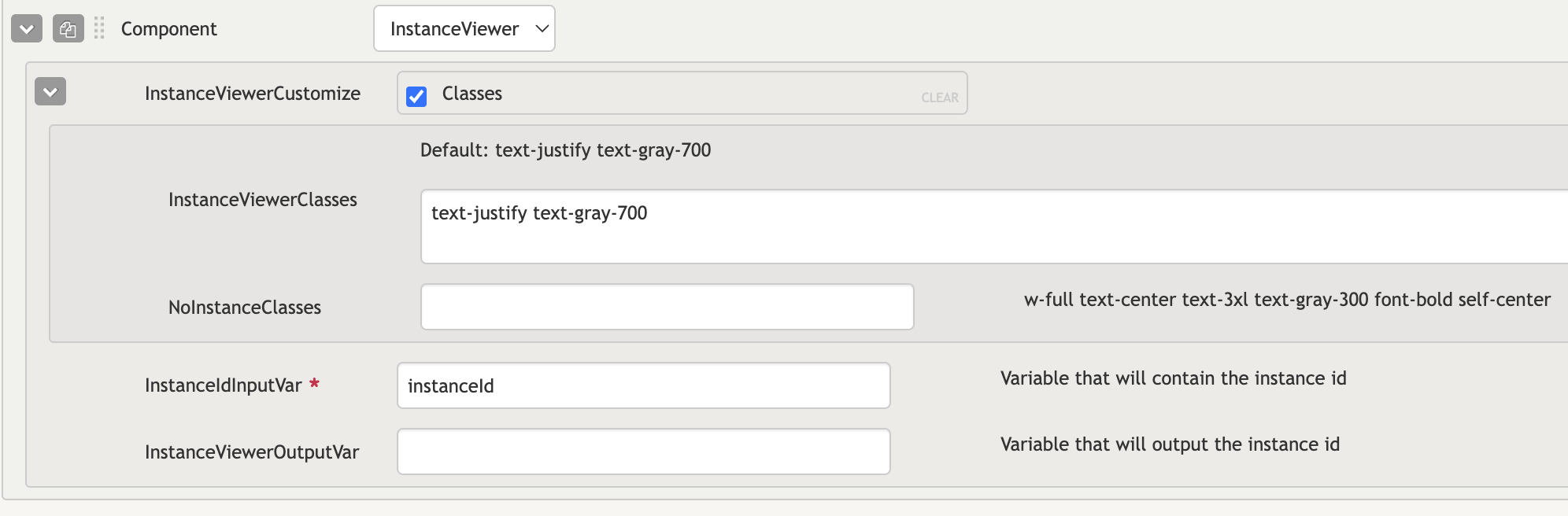
- InstanceViewerClasses: Field that accepts tailwind classes to customize the instance viewer container.
- NoInstanceClasses: Field that accepts tailwind classes to customize the text that shows when no instance is selected/being shown.
- InstanceIdInputVar: The key field in this component, designed to accept a dashboard variable containing the ID of the instance to be displayed. By utilizing this variable, you can dynamically display different instances by integrating it with other components, such as a Menu, to manipulate or update its value.
Component Events
Some events are available and triggered by this component, which can be listened on via the globalBus which is made available via the Dashboard JS Customizations.
| Component | Event | Description | Event Data |
|---|---|---|---|
| Instance Viewer | field-focus | Fired when a field is focused (highlighted, clicked, etc.). | detail: { instancePresenter: The instance presenter; field: The field presenter for the focused field. } |