
Dashboard Variables
Internally, a dashboard is able to store arbitrary variables. They enable the dashboard to dynamically adjust it's behaviour according to changes in the data - meaning the dashboard can change according to changes in it's variables.
Defining Variables
Variables can be defined in multiple ways. The first way one can define a dashboard variable is by ticking the Vars option in the DashboardCustomize field. This will show a new duplicate group Variables where you can name a var to be initialized and, optionally, it's initial value.
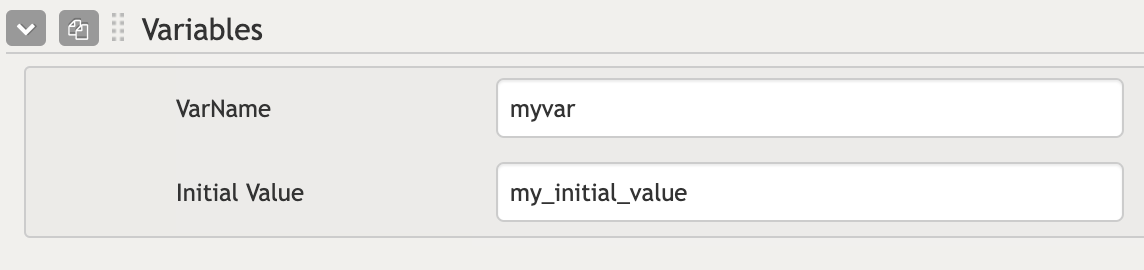
Components that have a OutputVar field (where you specify the name of a variable where you want to output a certain value depending on the component) will inherently create a variable with the given name (if specified). Suppose you have a Filter component, and you specified a var named myVar in it's OutputVarFilter field. The dashboard will create this variable internally. When a user enters text into this filter, the myVar variable is internally updated with the text value.
Using Variables in Queries
Variables can be utilized anywhere in a dashboard. For example, variables can be used in queries to filter or modify the displayed data. The syntax for using variables in a query involves referencing with handlebars notation: {{vars.VARNAME}}
Example Let's say you have the following list query to retrieve documents in the context of the dashboard.
"myQueryResult":distinct("Definition Name","*"),To make this query dynamic and filter the list based on a dashboard variable, you can modify as follows:
"myQueryResult":distinct("Definition Name","* {{vars.VARNAME}}"),Here, the value of VARNAME is appended to the query dynamically, allowing the displayed list to updated based on the filter input.
Scope and Context
Variables - both declared explicitly in the Dashboard Variables field and via a component's OutputVar field - are globally accessible throughout the dashboard. However, you may write templates using {{#each}} or {{#with}} blocks, which introduce a nested scope. Inside these nested contexts, global variables are not directly accessible. To reference global variables from within a nested scope, you can use the @root keyword.
If you want to reference a variable within a nested context, you would write:
{{@root.vars.VARNAME}}This ensures you are accessing the global variable (managed by the dashboard) rather than a potentially undefined local one.