
$auto.text().join() - Auto-changing text fields
A dynaminc field that will provide a real-time concatenation of the field values and literal strings.
Usage:
$auto.text().join(Field 1,‘ : ’,Field 2,...)Examples:
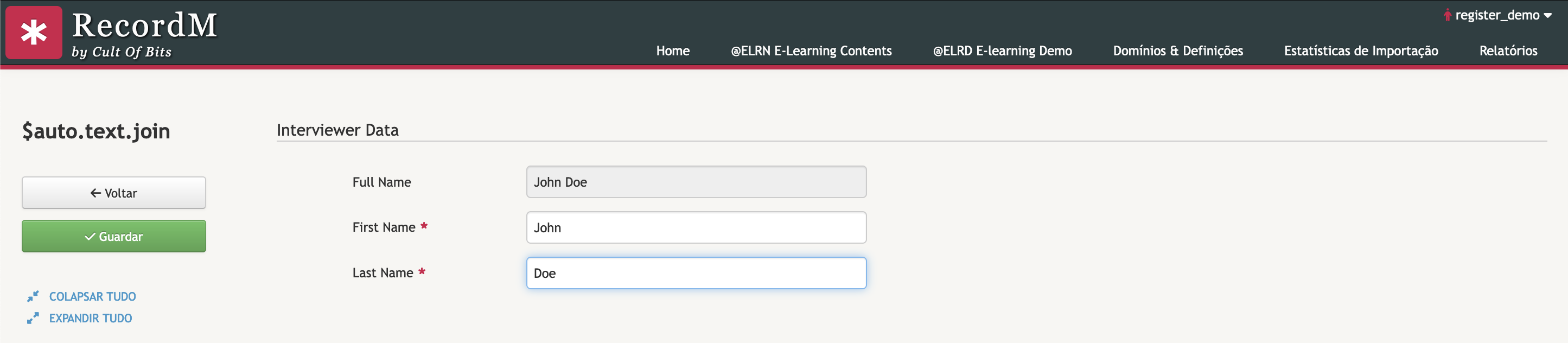
1. A simple concatenation example between two fields
$auto.text().join(First Name,' ',Last Name)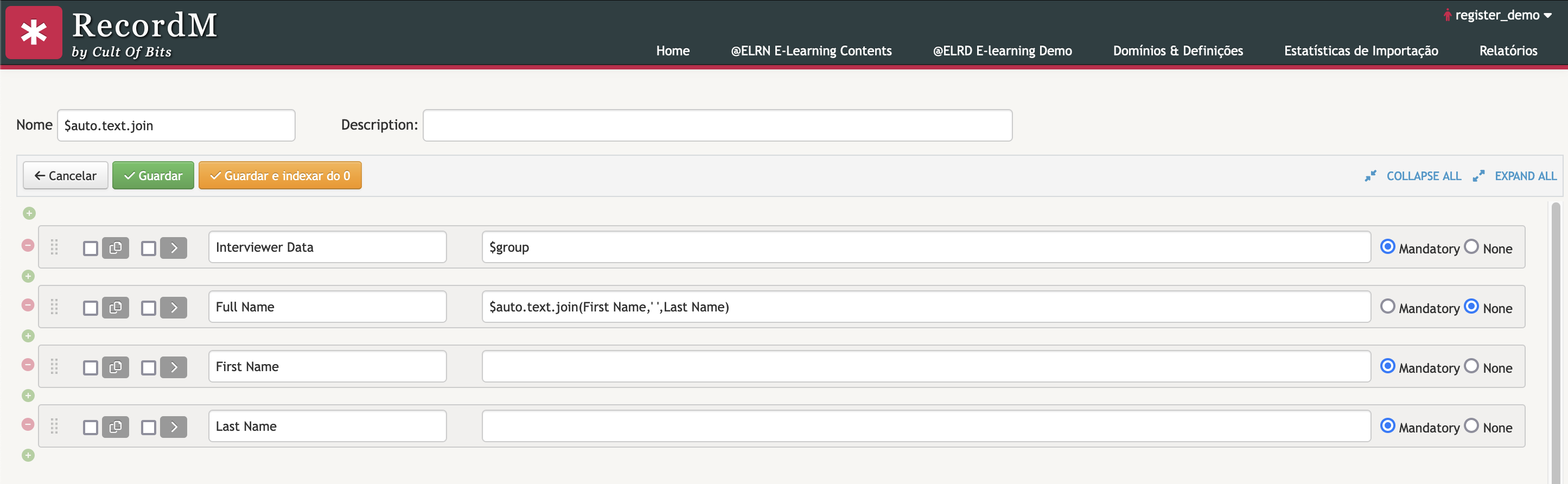
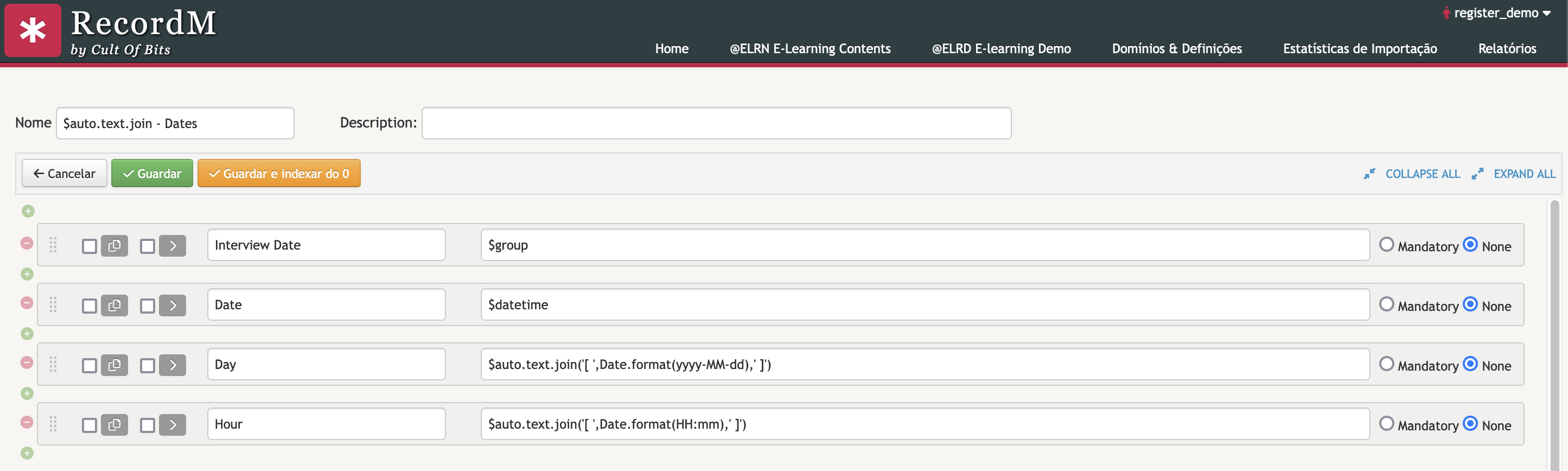
2. Joinning a formatted $datetime field
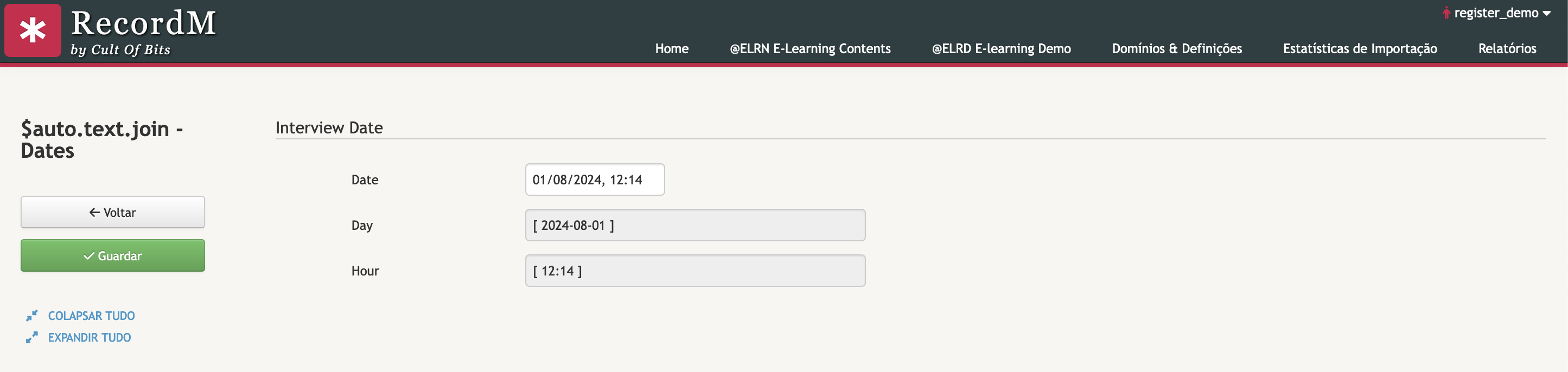
Day: $auto.text.join('[ ',Date.format(yyyy-MM-dd),' ]')
Hour: $auto.text.join('[ ',Date.format(HH:mm),' ]')
The Date.format()element was introduced with the release of RecordM 10.0 and allows to automatically format date fields - $date, $datetime, and $time - that are used in $auto.text().join().
In addition to displaying the full date, you can also omit certain elements of the date value by passing HH:mm as an argument to Date.format(). For example, $auto.text(Date).join('[', Date.format(HH:mm), ']') will format the value of the Date field as [12:14], as shown in the example below under the Hour field.
Other possibilities:
| Goal | Expression | Example |
|---|---|---|
| Displaying only the year | $auto.text().join('[',Date.format(yyyy),']') | [2022] |
| Displaying only the month | $auto.text().join('[',Date.format(MM),']') | [11] |
| Displaying only the day | $auto.text().join('[',Date.format(dd),']') | [02] |
| Displaying both the year and the month | $auto.text().join('[',Date.format(dd),']') | [2022-11] |
| Displaying both the month and the day | $auto.text().join('[',Date.format(MM-dd),']') | [11-02] |
TIP
For additional formatting options, you can refer to the documentation here