core.customizeImporters
Allows the addition of new, custom importers. The importers which will be refered here, must have been previously configured in recordm-importer/name_of_custom_importer. This customization simply adds one or more custom import buttons that link up to one of those previously configured configurations.
Usage:
core.customizeImporters(<definition-name>, [
		{
				"label": "<importer-job-id>",
				"name": "<importer-menu-label>",
				"message": "<description-for-importer>"
		},
		...
]);
Arguments:
| Argument | Description | Required |
|---|---|---|
definition-name | Refers to the name of the specific definition to which you want to apply the customization. | YES |
custom-importer-details | List of dictionary objects with the information that refers to a previously configured custom importer. | YES |
Custom Importer Dictionary:
| Argument | Description |
|---|---|
label | Name of the importer that shows when selecting "Import Records". |
name | The name of the previously configured importer. Should match a folder in /recordm-importer/name/. |
message | A message that shows in the import window that we can use to convey any information we deem important. |
Examples:
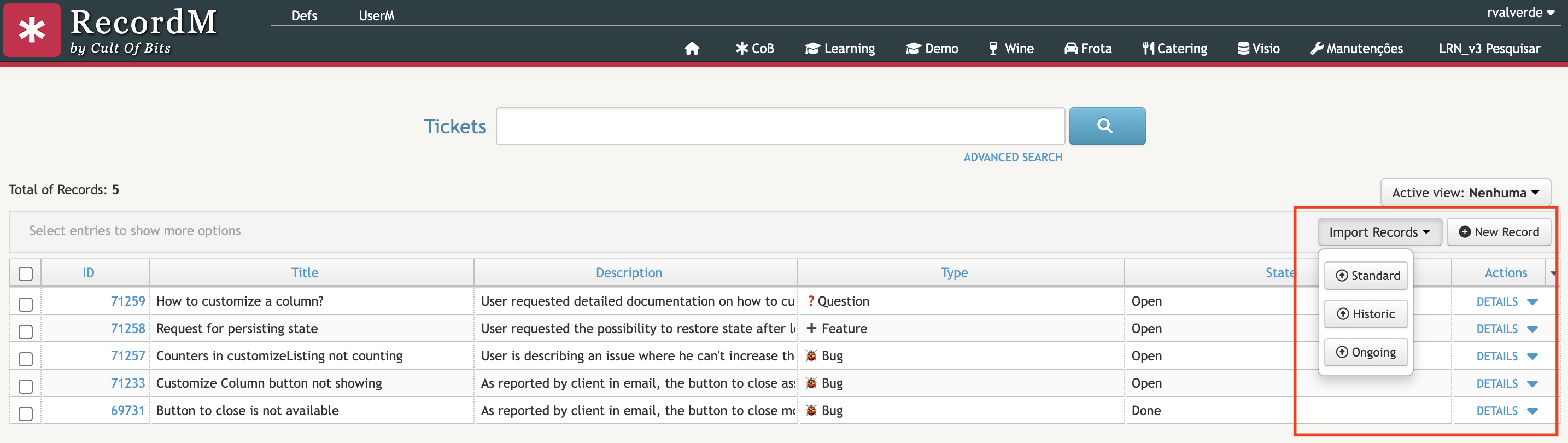
In this example we using this customization to add two custom importers to our Tickets. In addition to the standard import, we are adding one named "Historic" - for old Tickets from a previous or different system - and one named "Ongoing" - for ongoing tickets that for some reason are stored in an Excel sheet and need to be imported.
cob.custom.customize.push(function (core, utils, ui) {

  const DEFINITION = "Tickets";

  core.customizeImporters(DEFINITION, [
    {
      "label": "Historic",
      "name": "tickets-historic",
      "message": "Historic data for tickets."
    },
    {
      "label": "Ongoing",
      "name": "tickets-ongoing",
      "message": "Ongoing tickets from external project. "
    }
  ]);
});
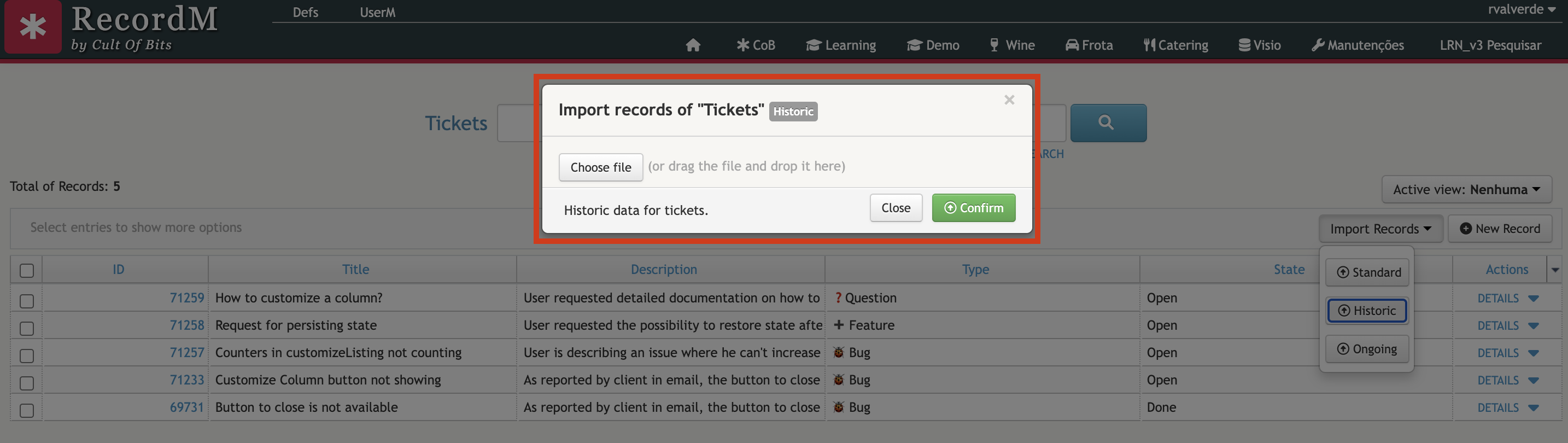
For each of these we provide their label, which as can be seen in the screenshot is the name that will be displayed for the button. We also provide the "name", which is the importer menu label, along with a message that will accompany the rest of the details of the new importer.
The following screenshots show the end result: