core.customizeInstances
Extend a definition instance viewer capabilities by implementing a range of customizations, such as controlling the instance's display, determining field visibility, adjusting box sizes, and more.
Usage:
javascript
core.customizeInstances("<definition-name>", function (instance, presenter) {
  ...
})
Arguments:
| Argument | Description | Required |
|---|---|---|
definition-name | Refers to the name of the specific definition to which you want to apply the customization. | YES |
function | Callback function responsible to implement the new functionality | YES |
Function arguments:
| Argument | Description |
|---|---|
instance | The instance model. |
presenter | The instance presenter |
Examples:
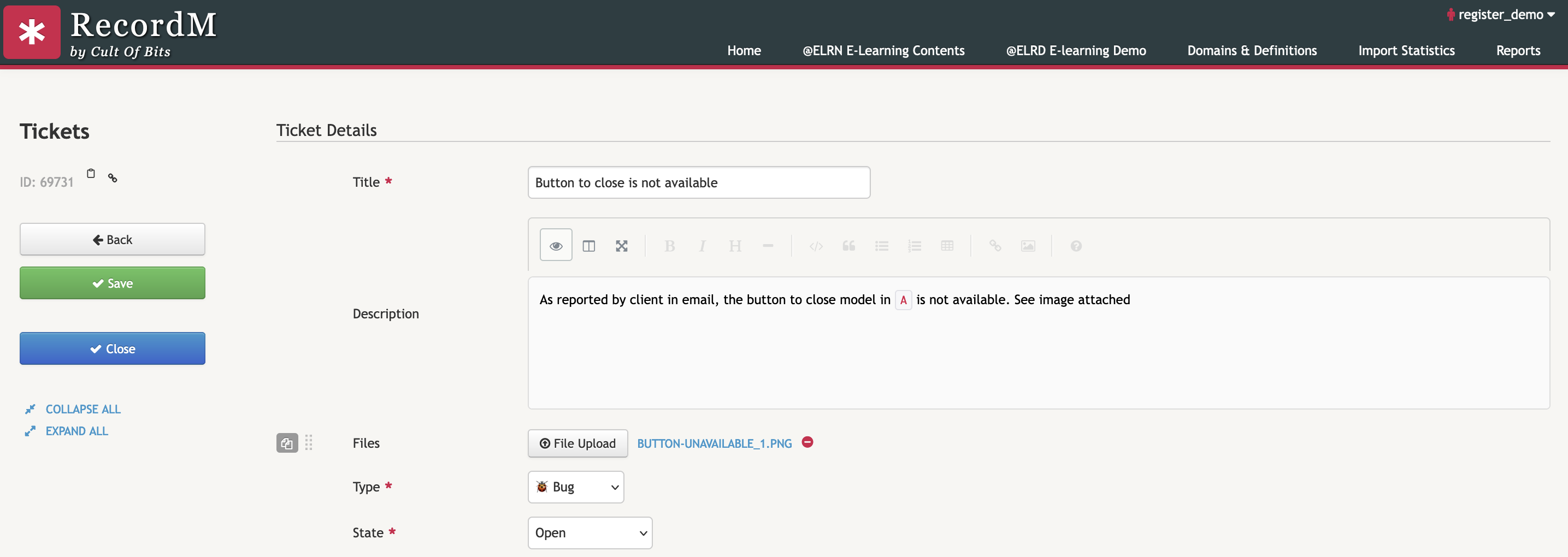
The code snippet in this example introduces a new button when editing a Ticket's instance. When clicked, it will automatically change the value of the 'State' field to 'Done' and save the instance.
javascript
cob.custom.customize.push(function (core, utils, ui) {
    const DEFINITION = "Tickets";

    core.customizeInstances(DEFINITION, function(instance, presenter) {
      if (!instance.isNew()) {
        const closeBtn = "<button class='js-close-btn btn btn-small btn-primary' style='margin-top: 20px;'><i class='icon-ok mr-1'></i><span>Close</span></button>";
        document.querySelector(".js-sidenav-btn-container").insertAdjacentHTML("beforeend", closeBtn);
        document.querySelector(".js-close-btn").addEventListener("click", () => {
          presenter.findFieldPs((fp) => fp.field.fieldDefinition.name === "State")[0].setValue("Done");

          presenter.saveInstance(() => {
            core.navigateBack();
          });
        });
      }
    });
});