
Setting Up Equipment Records
At the heart of our Maintenance Solution are the Equipment records, which are the main component holding everything together. Each equipment record requires the following important details:
- Brand: The make or manufacturer of the equipment. This helps in understanding the equipment's origin.
- Model and Type: Specific identifiers that further detail the equipment's design or purpose. These attributes ensure that every piece of equipment can be distinguished, even within the same brand.
- Location: An essential field that pinpoints the current whereabouts of the equipment, facilitating timely maintenance and checks.
- Check-up Information: This encompasses details like 'Fornecedor' – the entity entrusted with the equipment's upkeep. It provides clarity on which company is accountable for maintaining a particular piece of equipment.
Creating the Definition
Once we understand what each equipment record should encapsulate, the next step is to construct a comprehensive definition. This definition will serve as a template, ensuring uniformity and completeness each time a new equipment is added to the system.
This is what the complete definition looks like:
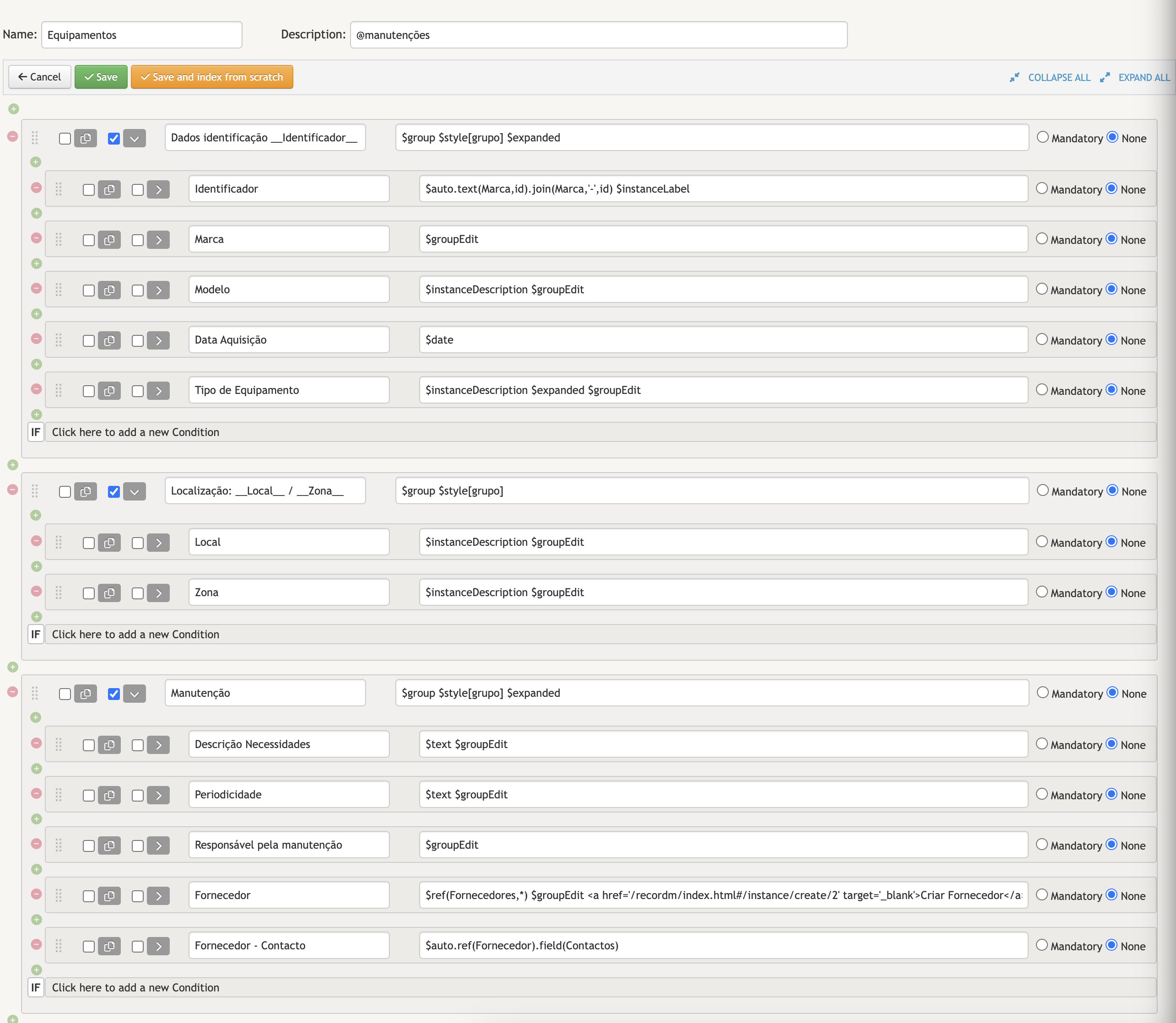
Before diving deep into populating the equipment records, it's imperative to first set up the 'Fornecedores'. Since they play a pivotal role in the equipment's lifecycle, especially its maintenance, having them in place ensures seamless integration when adding new equipment. Once the 'Fornecedores' are established, it paves the way for scheduling 'Intervenções' tailored to each equipment.
Next up, let's add some Fornecedores to our system.