Adding Wines
Instead of columns as in Excel or classes as in Java and similar programming languages that use objects as abstractions, in the CoB platform we - as you know - use definitions to create the abstract data entities that will be the basis of all applications. Since we need five data entities to build our online survey for wine tasting, we will need to create five definitions: Wines, Wine Tasters, Survey, Events, and Invites. You can check how to create a definition in the Admin - Fundamentals Guide.
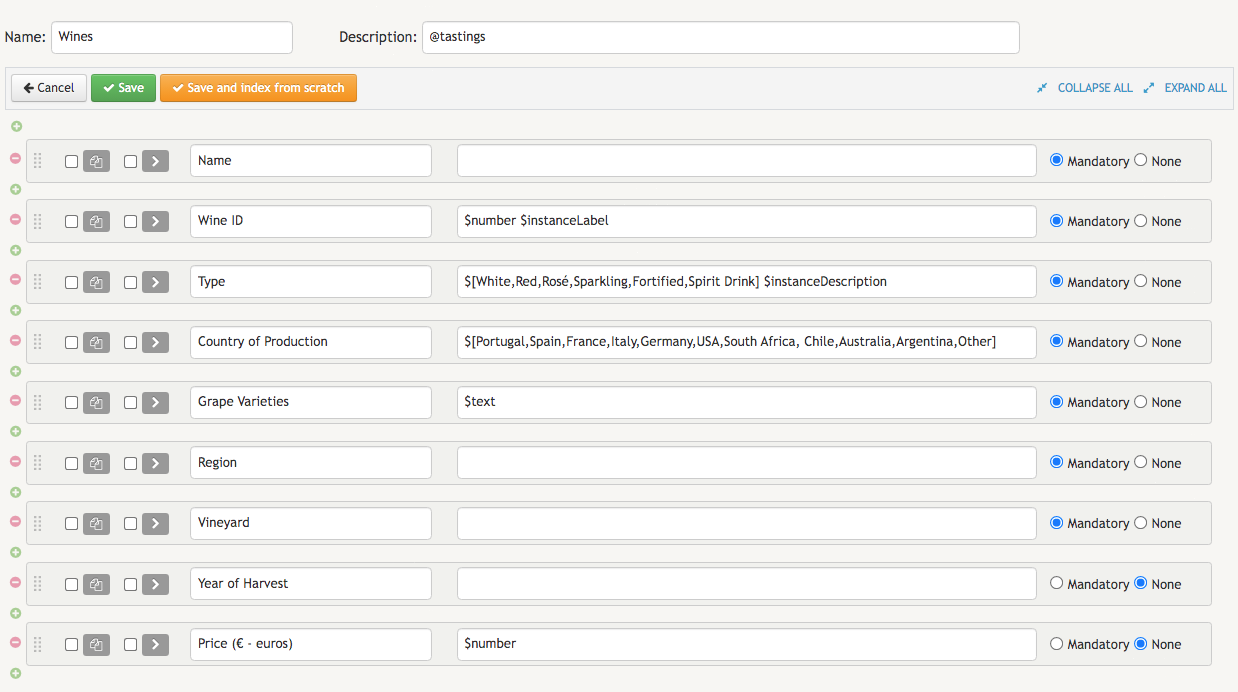
Since without wines there can be no wine tasting, the first definition we need to create in order to build our own online survey is the Wines definition. Because it is meant to describe all wine instances, this definition will have to include nine fields: Name, Wine ID, Type, Country of Production, Grape Varieties, Region, Vineyard, Year of Harvest, and Price (€ - euros).
The first field to add will be the Name of each wine. Since this field doesn't have any type or other descriptive data, we will just move on to the next field which is the Wine ID. This field plays an important role on our survey. Since the online survey will exclusively label each wine with the Wine ID, it makes sense to configure this field with the type $instanceLabel.
If the organizer wants to be add a new wine to the application, he/she will also have to specify its appropriate type by selecting it from a dropdown menu of options. This is enabled by adding to the Type field of the Wines definition a list of values containing the main categories of wine: White, Red, Rosé, Sparkling, Fortified and Spirited Drink.
Next, we will add the field Country Of Production, which gives the organizer of the event the possibility of selecting one of the countries from a list of the the world's largest wine producing countries: Portugal, Spain, France, Italy, Germany, USA, South Africa, Chile, Australia, Argentina or Other. We will then add the remaining fields for describing each wine: Grape Varieties, Region, Vineyard, Year of Harvest and Price (€ - euros). Since each wine can sometimes be made with several varieties of grape, we will configure the field Grape Varieties with the type $text. And since the price of a wine is not always an exact amount in euros, we also configure the field Price (€ - euros) with the type $number in order to include the two decimal places for cents.
If the organizer wants his/her event to be a blind tasting, he/she can also mark all the fields of the Wines definition except Wine ID with $restricted(FUNC ADMIN). An alternative solution for ensuring that participants will not be able to find any descriptive element of the wine whenever they search for the Wine ID corresponding to the wine they just drunk while filling the survey form is to remove the $instanceDescription keyword from all the identifying descriptive fields of a wine - i.e., fields such as Name, Country of Origin, Grape Varieties, Vineyard, and Year of Harvest.
When we finish adding all the fields, the Winesdefinition will look identical to the one in the image below:
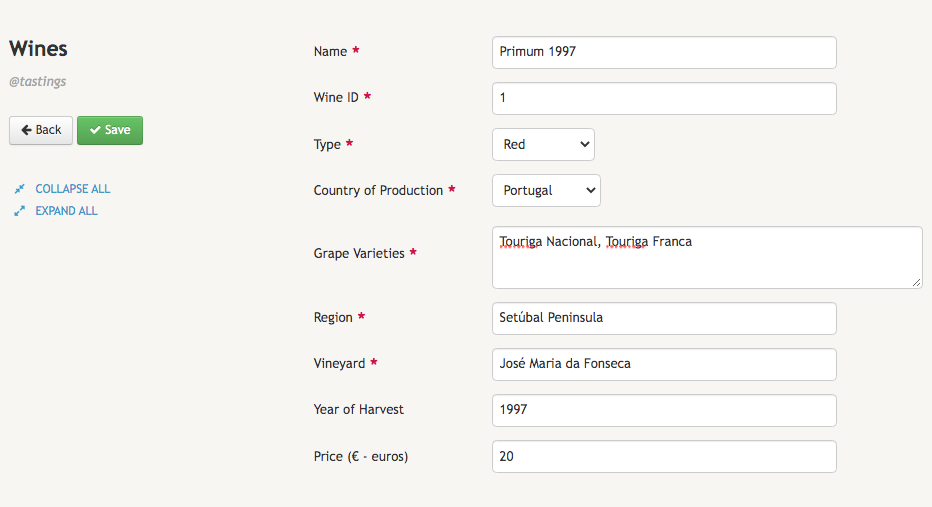
After creating the Wines definition, the business owner is ready to start adding wines to it. When he/she finishes adding the first wine, the result will be similar to the following screen: