
Content only available in english
Image Viewer
The Image Viewer Component is a dashboard element that enables users to interact with images directly within a dashboard. This component supports the following functionalities:
- Image Rotation: Rotate images to the desired orientation for better viewing.
- Image Movement: Move the image within the viewer for precise positioning.
- Zooming: Zoom in and out to focus on specific details or view the full image.
- OCR (Optical Character Recognition): Highlight a specific area on the image to extract and process text.
This component provides a way to view and manipulate images, making it ideal for workflows that require image analysis and targeted text extraction.
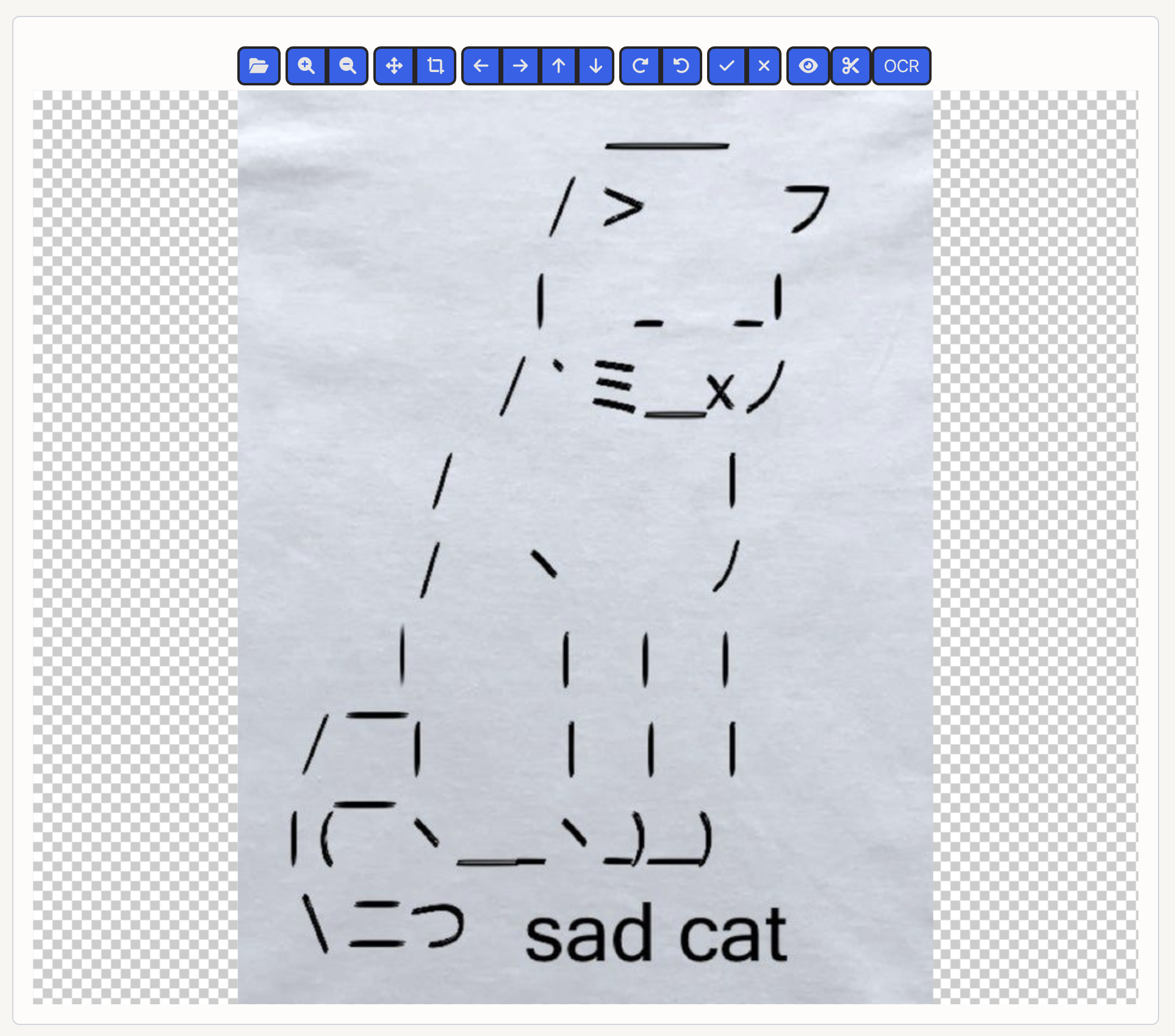
Component Structure
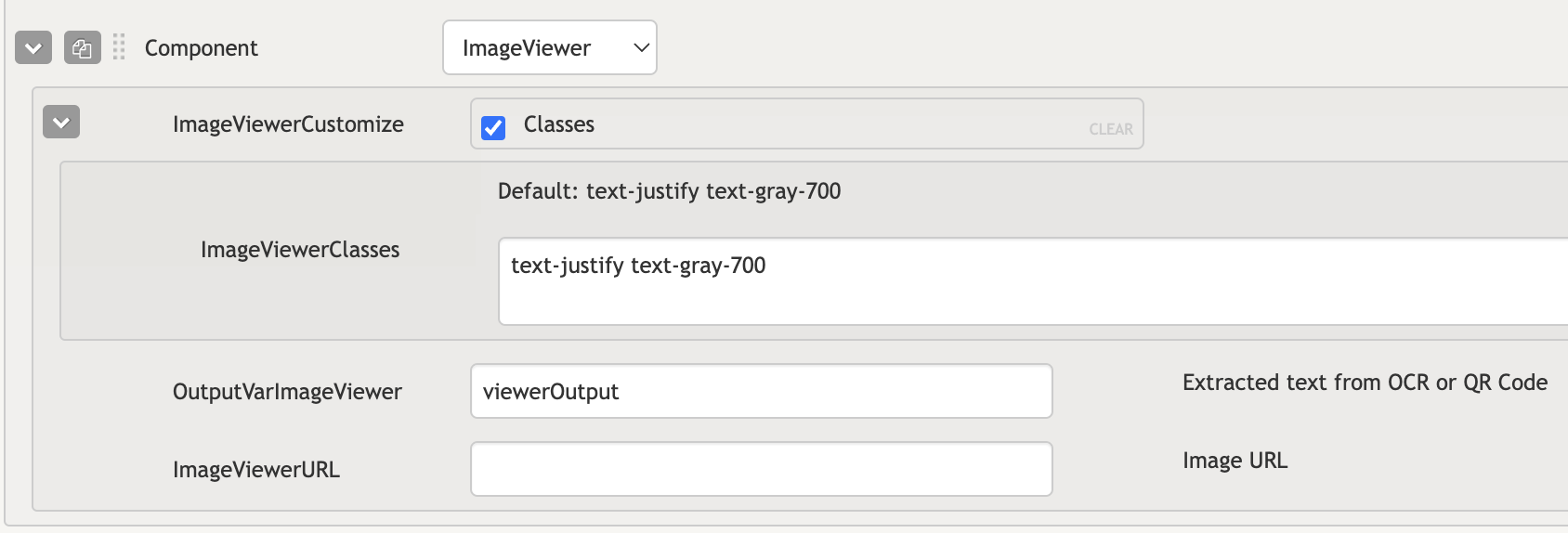
- ImageViewerClasses: Accepts tailwind classes to customize image viewer classes
- OutputVarImageViewer: A variable to store the output data from the component.
- ImageViewerURL: The URL of the image to be displayed within the viewer.
Simple Usage
Highlighting
To highlight a specific area within the image:
- Enter "crop" mode by either double-clicking the image or clicking the designated button.
- Drag the mouse to define the area of interest.
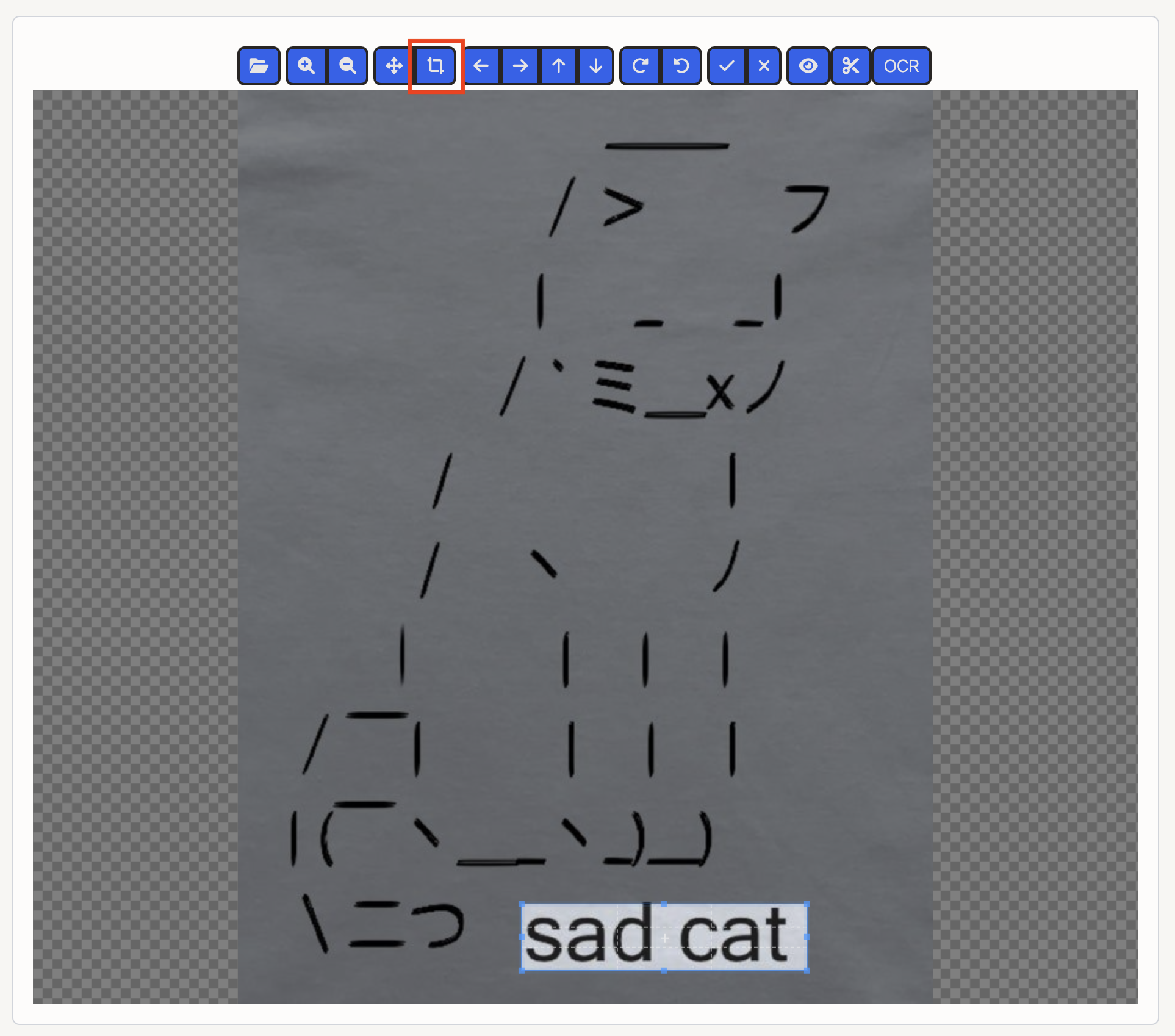
Performing OCR
Once an area has been highlighted, OCR can be initiated to extract text:
- The extracted text is saved in the OutputVarImageViewer variable, if configured.
- The component emits an imageviewer-ocr event, providing detailed information about the extracted text.
Event details include:
- ocrText: The text extracted via OCR.
- cropData: Coordinates of the bounding box defining the highlighted area.
- confidence: The confidence level of the OCR process.
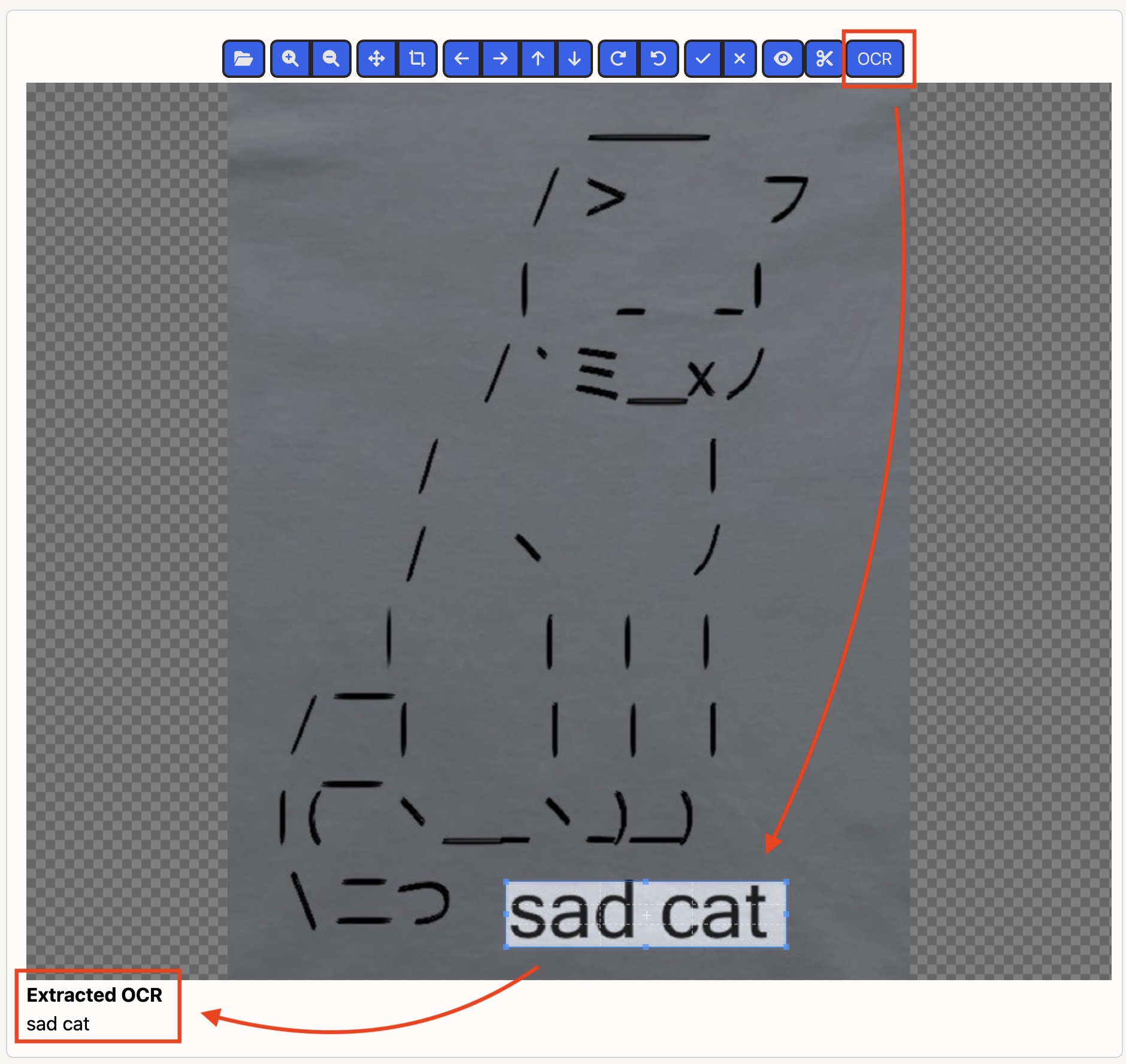
Component Events
Some events are available and triggered by this component, which can be listened on via the globalBus which is made available via the Dashboard JS Customizations.
| Component | Event | Description | Event Data |
|---|---|---|---|
| Image Viewer | imageviewer-ocr | Fired when OCR is run on this component. | details: { ocrText: The text decoded via OCR; cropData: The bounding box coordinates; confidence: Confidence of the extracted text value. } |