Changing the Look and Feel of an Application
As explained in the CoB Architecture, the platform's user interface consists of a regular Web application developed in HTML, CSS, and JavaScript (JS).
To change the style or behaviour of the web application you only need to make changes in two files:
recordm/customUI/css/customizations.cssrecordm/customUI/js/customizations2.js
These two files are loaded in every page of the application and their configuration will override any pre-existing settings.
WARNING
Any of these two files may need to be created if they don't already exist in the repository.
Customization Basics
In any CoB's server repository, the customizations2.js file imports a series of JavaScript files. This is so as to provide a greater compartmentalization and, by extension, readability of the code contained in each of these files.
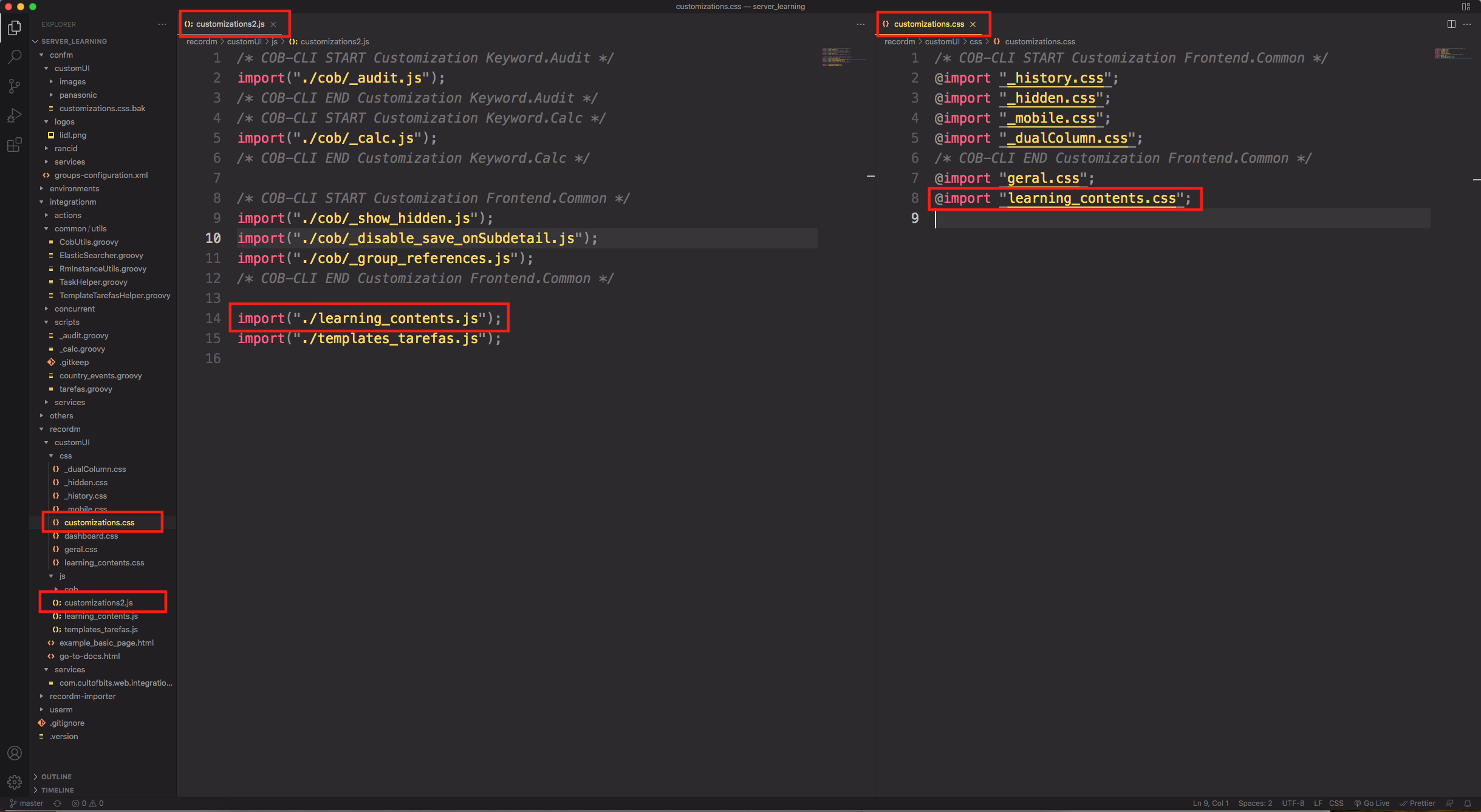
If we wish to change the appearance of an element in our CoB app (e.g: the columns in the listing of a Definition, or a button's behavior), a <customization>.js file will have to be created in recordm/customUI/js/customizations/<customization>.js and imported in recordm/customUI/js/customizations2.js. You can check an example in the image below.
There are multiple JavaScript functions made for customizing different components in a CoB app. These are used inside our <customization>.js files.
Most of the times, you can directly include CSS (e.g: inline) when programming a customization, but other times you may want to have a dedicated CSS file for that specific customization, due to readability and organization. For this purpose, you can create a css file in recordm/customUI/css and import it into recordm/customUI/css/customizations.css - similarly to the .js customizations.
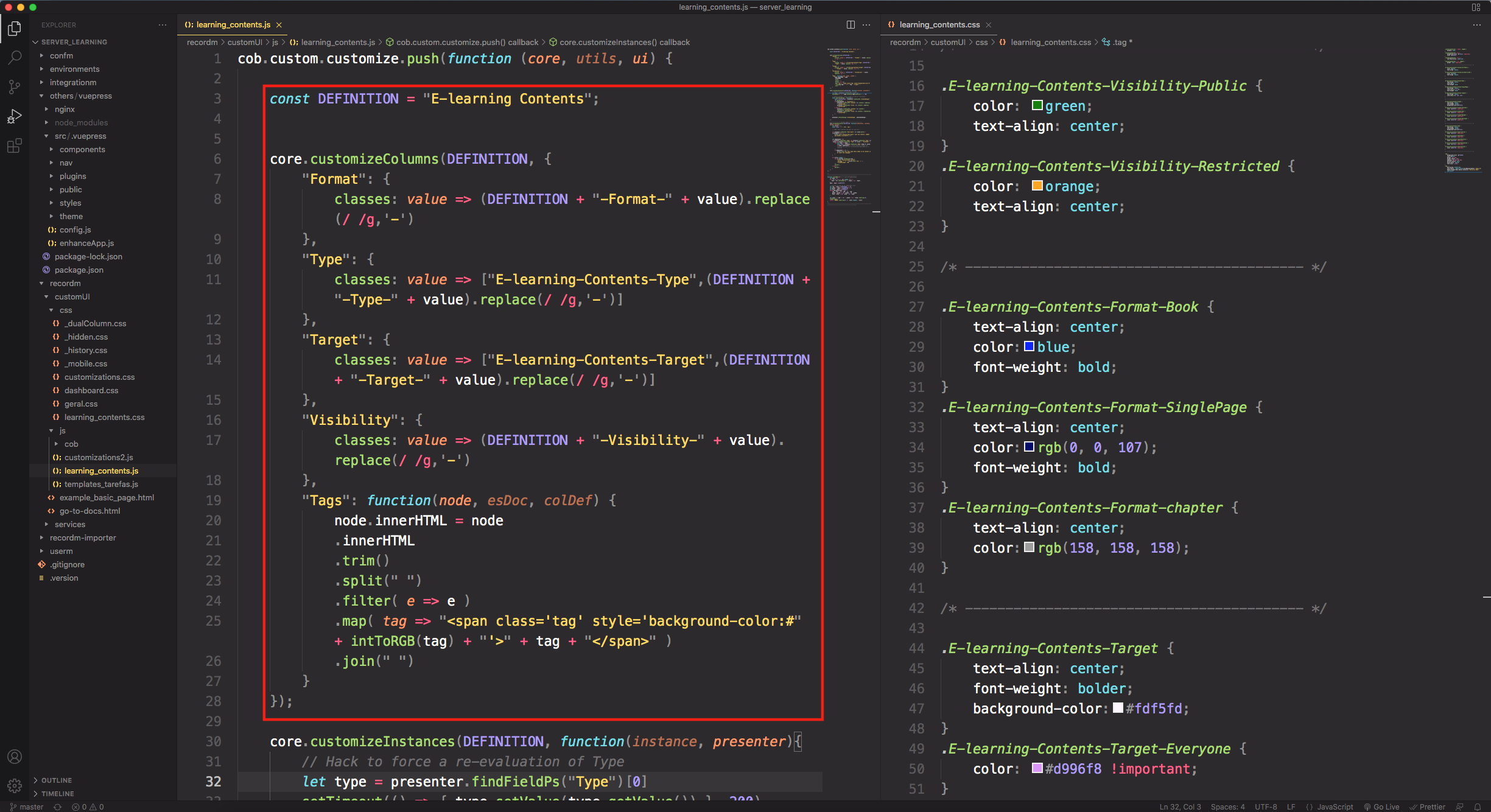
Below is an example of a customization and it's respective css file. Both of which are imported, respectively, into customizations2.js and customizations.css.