
Create Instance With Auto-Pasted Fields
(Clipboard / Auto-Paste Functionality)
What This Feature Is Good For:
- Generating links that open a new instance with default values
- Passing data between screens using URLs
This is done by passing a JSON object in the URL, which specifies:
- The fields to prefill
- Optional behaviour settings (paste automatically, make read-only)
How It Works
Example structure:
| Operation | Syntax | Arguments |
|---|---|---|
| create | #/instance/create/<id>/data={"opts":{...},"fields":[...]} | <id> is the definition Id |
| edit | #/instance/<id>/data={"opts":{...},"fields":[...]} | <id> is the instance Id |
Options (opts):
If omitted, the feature uses default behaviours and each value is "false".
auto-paste-if-empty
true →Automatically pastes the value only if the field is emptyfalse →Shows a button next to the field that the user can click to pastereadonly-on-paste
true →once the paste happens, the field becomes read-onlyfalse →the field remains editable
Fields:
Each atribuition looks like:
{"value":"`field_value1`","fieldDefinition":{"name":"`field_name1`"}},
{"value":"`field_value2`","fieldDefinition":{"name":"`field_name2`"}},
...
Examples of usage
Basic Example
The most common scenario is to create an instance with filled values and this can be used as follows:
- if we want to create an instance of the definition 161
- and populate the fields as follows:
| field name | -> | field value to paste |
|---|---|---|
| Type | -> | Mission |
| Amount | -> | small |
#/instance/create/161/data={
    "opts": { "auto-paste-if-empty": false, "readonly-on-paste": true },
    "fields": [
        {"value":"Mission","fieldDefinition":{"name":"Type"}},
        {"value":"small","fieldDefinition":{"name":"Amount"}}
    ]
}
with the options selected: "auto-paste-if-empty": false, "readonly-on-paste": true this is the behaviour:
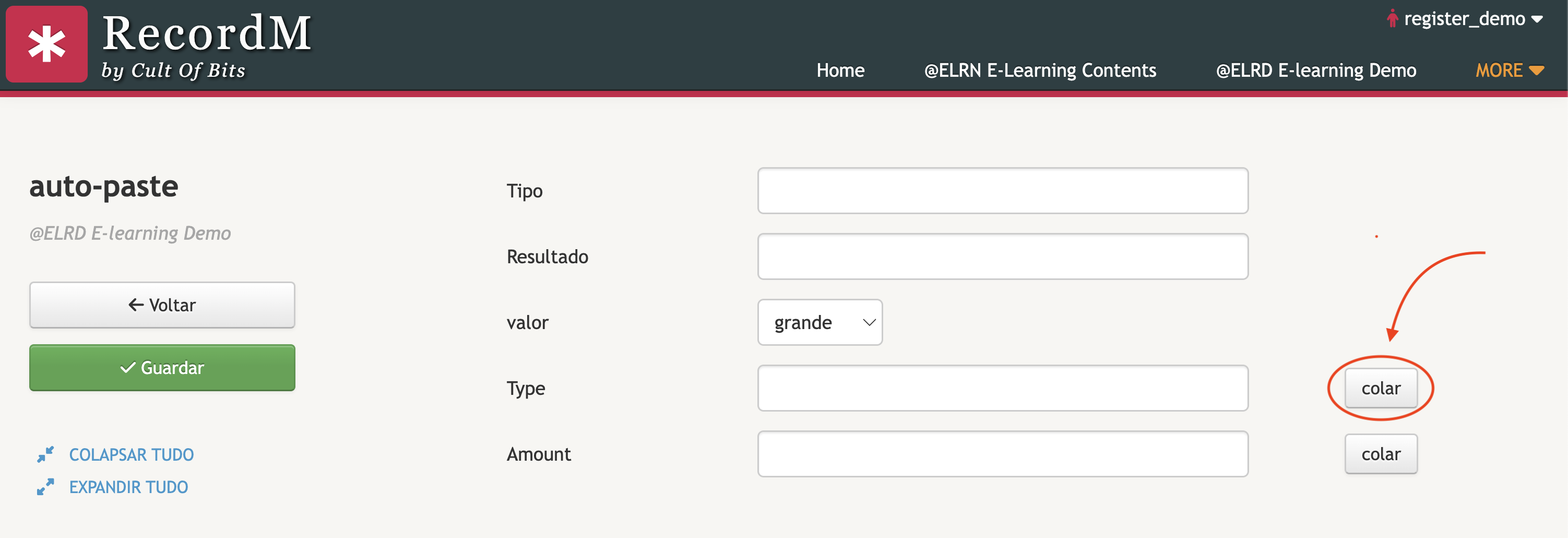
it doesn't paste automatically, so an option to paste, appears
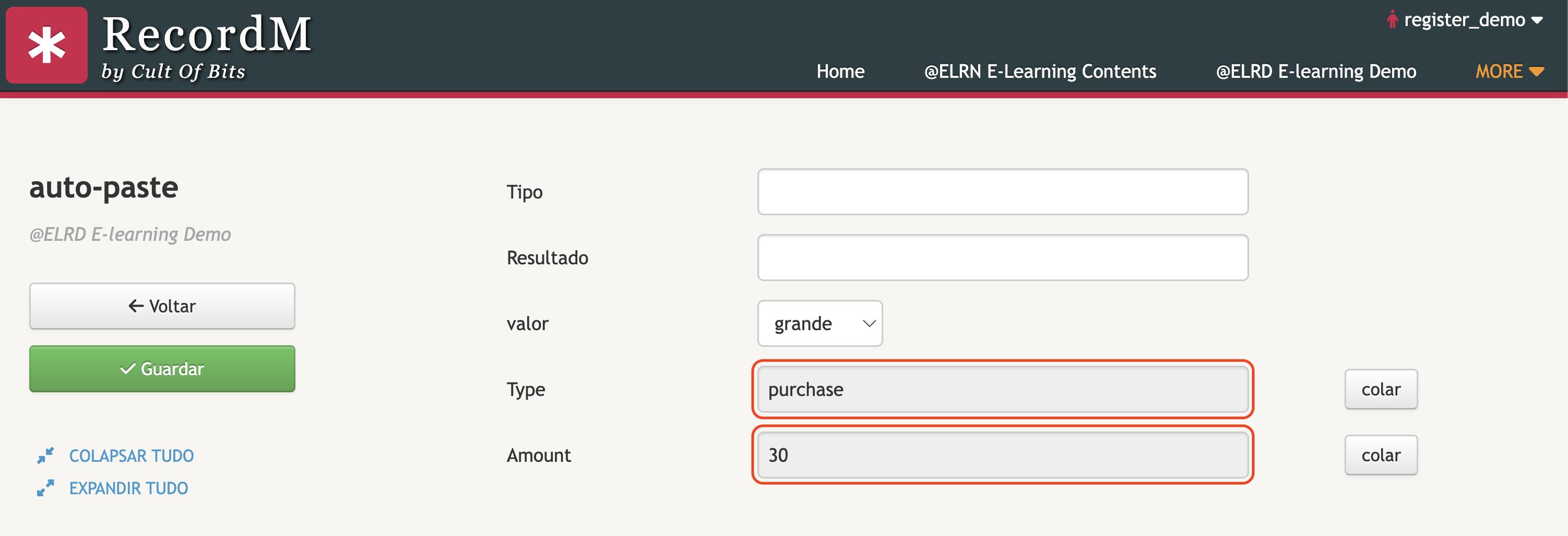
when pasted, the fields become readonly
Example With Recordm Expressions
In a case where we have the fields valor and tipo and wish to build a link to create another instance, and paste those values. Below is a practical example used inside Recordm to build a dynamic link that creates an instance with two fields pasted on creation:
$link $auto.text(valor,tipo).join('#/instance/create/294/data={
    "opts":{"auto-paste-if-empty":true, "readonly-on-paste": false},
		"fields":[
		     {"value":"',valor,'","fieldDefinition":{"name":"valor"}},
				 {"value":"',tipo,'","fieldDefinition":{"name":"Tipo"}}
		 ]
}')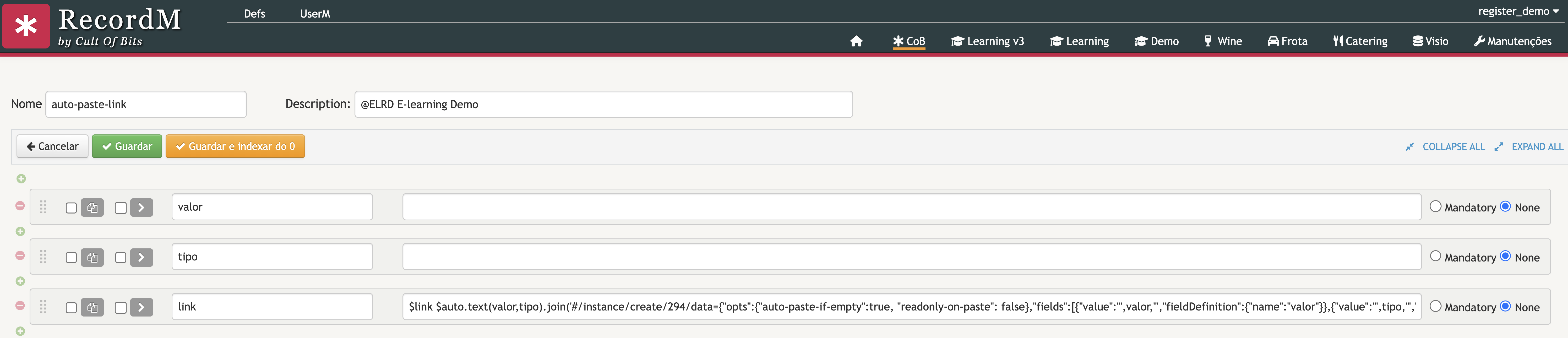
This link creates an instance of the definition 294 with predefined valor and Tipo values.
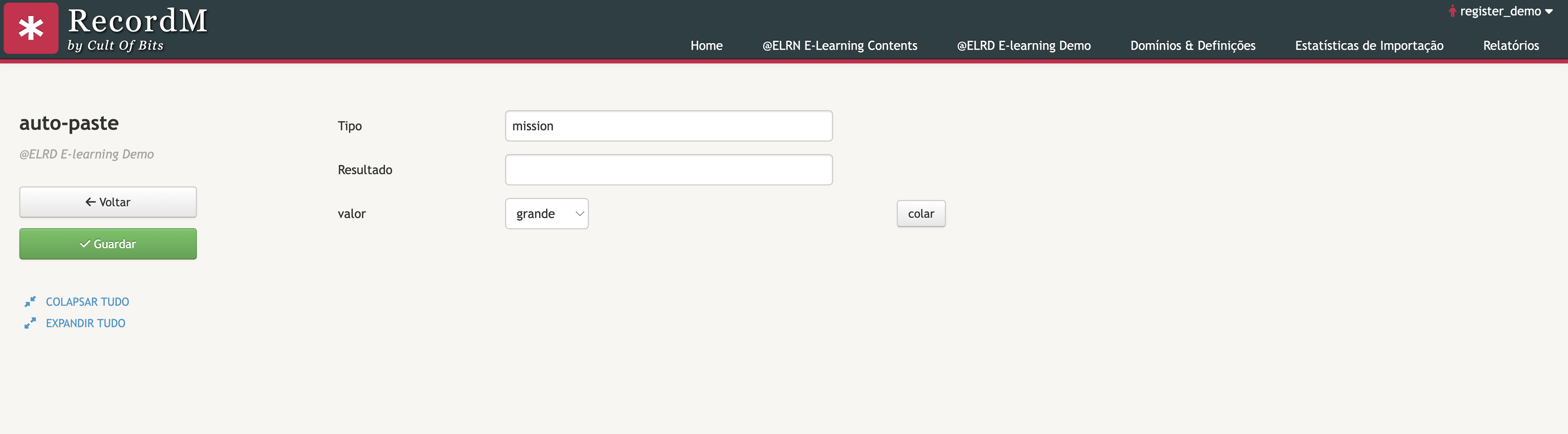
- The value of
Tipois automatically pasted due to the option"auto-paste-if-empty":true - Since
valoris "$[*grande,pequeno]" the value is already filled asgrandeand there will be an option to paste