$ref() - Fields Referencing Other Fields
Fields built with this keyword are used when, in an instance, we intend to make a reference to one - and only one - Instance of the same or another definition. By linking an instance to another instance, we can access the information properties of the linked instance. Although an instance can only point to one instance, several instances can reference the same instance. While fields of type $ref() normally point to instances of other definitions, there can be scenarios where it is advantageous to create a tree of instances within the same definition. In this case, we can mark the field as $ref of that definition.
Usage
$ref(definition_name, query, [Parameters])The first argument must be the name of the definition where we want to search and the second the particular instance of that definition from which we want to show related results.
Options:
definition_name- The name of the definition to pull the dataquery: The query to use to get data from the definition
Parameters:
| Parameter | Description |
|---|---|
sort | Sorts the results by a specified field in either ascending (asc) or descending (desc) order. Examples: [sort:my_field\:asc] or [sort:my_field\:desc] |
size | Limits how many options are shown at once in the list (default: 5). Example: [size:10]) |
WARNING
When we have a definition with a field of type $ref() that references a definition whose $instanceLabel field is also a field of type $ref(), we will obtain in the listing of the initial definition the value of the $ref() field of the intermediate definition, i.e. the id of the referenced instance of the third definition. To actually get the value of the $instanceLabel field of the third definition, the $instanceLabel field of the second definition will have to be a $auto.ref().field() for the field of the third definition that we want to show in the listing of the first definition.
Dynamic Field Values in Queries
When defining the query argument in $ref(), it is possible to use the value of another field from the current instance dynamically.
To reference another field, use the following syntax: __FieldName__, where FieldName is the field whose value you want to inject into the query.
WARNING
Important Notes
- The field name must be written exactly as defined.
- The syntax requires double underscores before and after the field name.
- The substitution happens before the query is executed (in the frontend).
- If the referenced field has no value, the FieldName will not be replaced. The query might not work as intended.
Examples
Basic Example
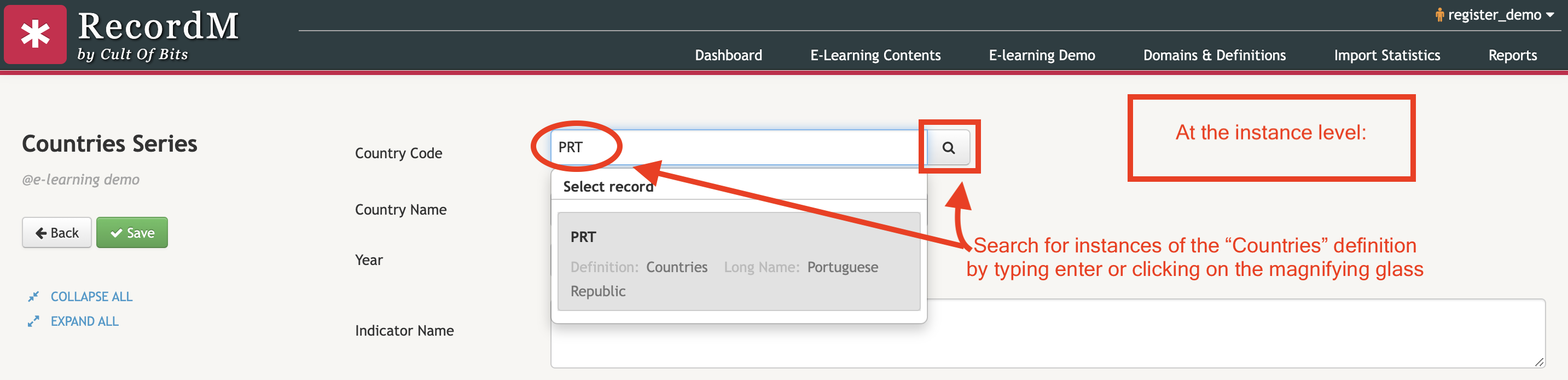
In the following example we are using the expression $ref(Countries,*) in order to allow a user to search for field values within all instances of the Countries definition.

To identify fields of type $ref() you have to look for any field that has on its right side a magnifying glass. These fields allow you to search for instances of another definition.
Check the video included below if you want to know how to build definition fields with the $ref() keyword:
Dynamic Field Values - Example
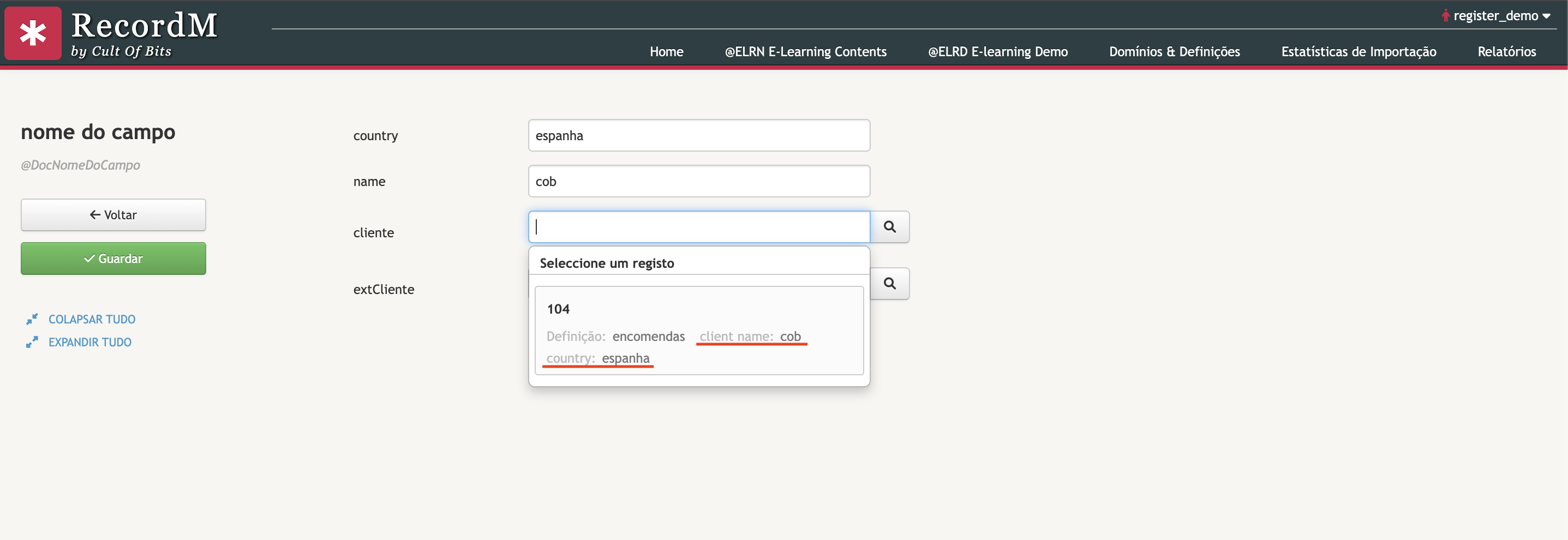
$ref(orders, client_name:__name__ country:__country__)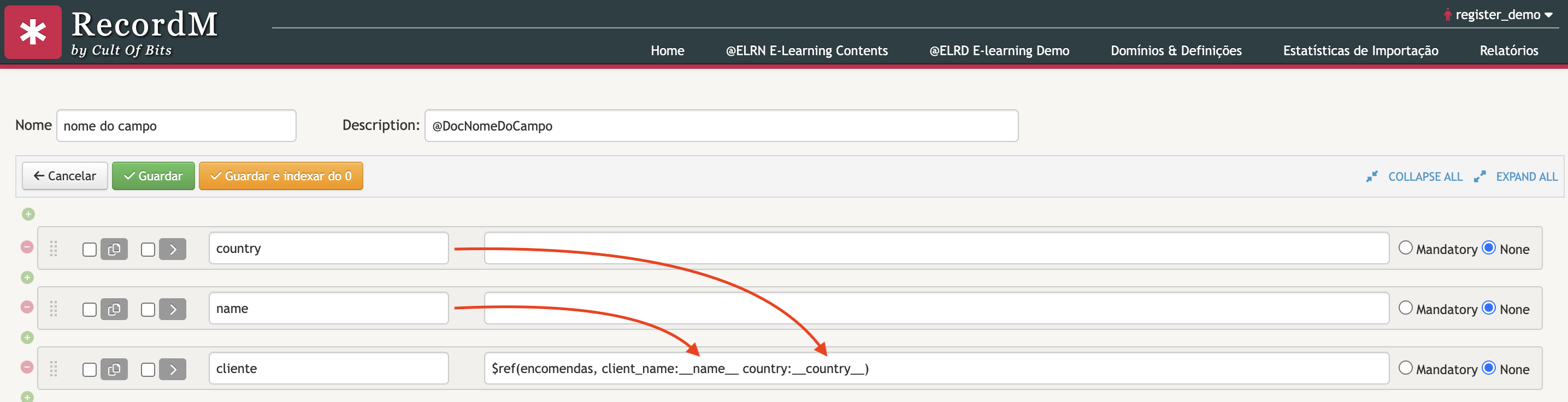
This will:
- Filter
ordersusing the current instance’snameandcountryvalues