
$expanded - Automatically Expanded Fields
This keyword allows a parent field to be automatically be expanded when displaying an instance previously created. This expansion can occur in all situations or be made dependent upon an optional condition:
Usage:
$expanded
$expanded(field_name[=,!=]value)
Options:
(field_name=value)- the parent field is expanded iffield_nameequals the given value;(field_name!=value)- the parent field is expanded iffield_nameis different from the given value;
Examples:
1. With a non-empty value assigned to a field
$expanded
$expanded(Department=Accounting and Finance)
In the example included below we can see that because the Skills has the keyword $expanded and because the employee John Doe has the Accounting and Finance Department assigned to it, when someone accesses that employee's instance his Skills' section will always be expanded.
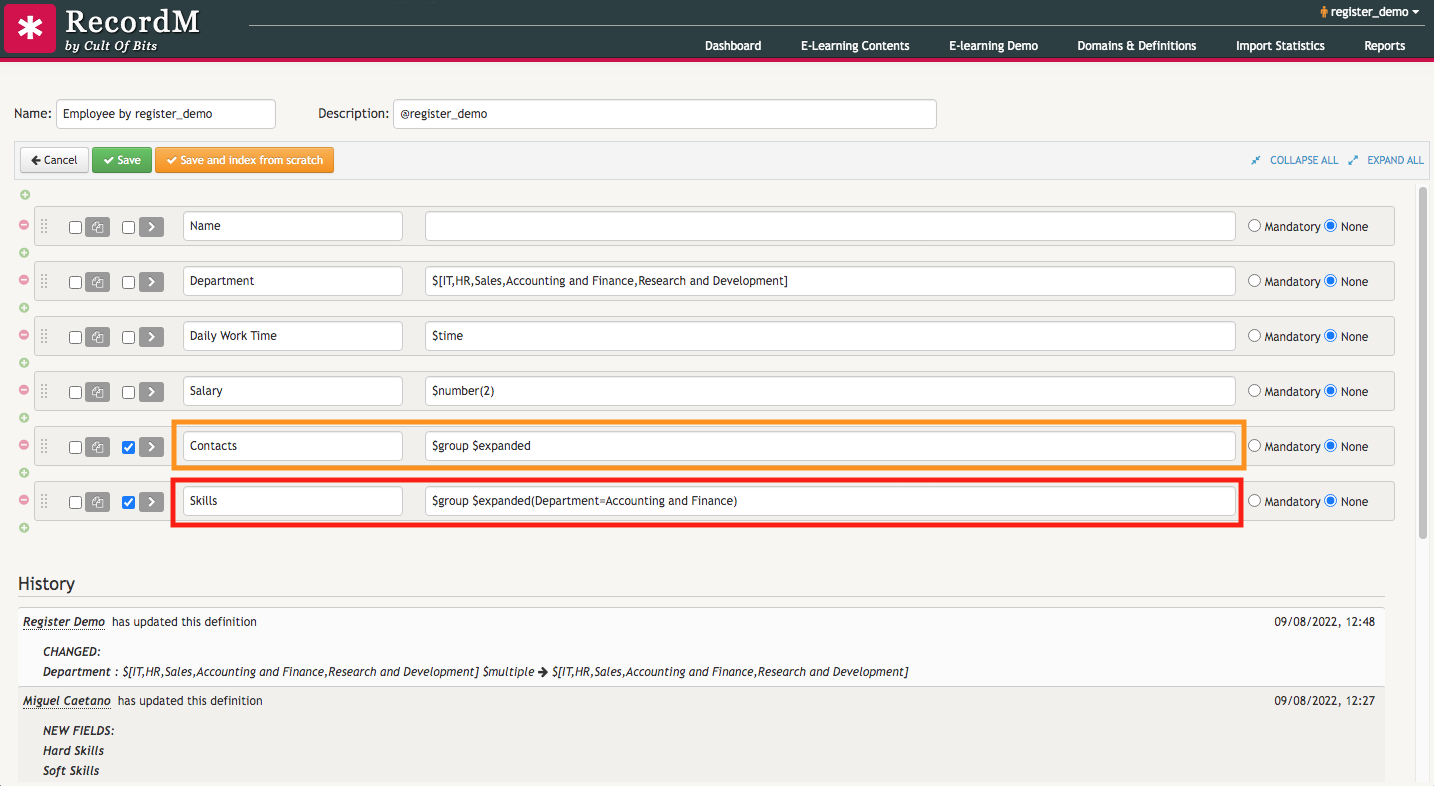
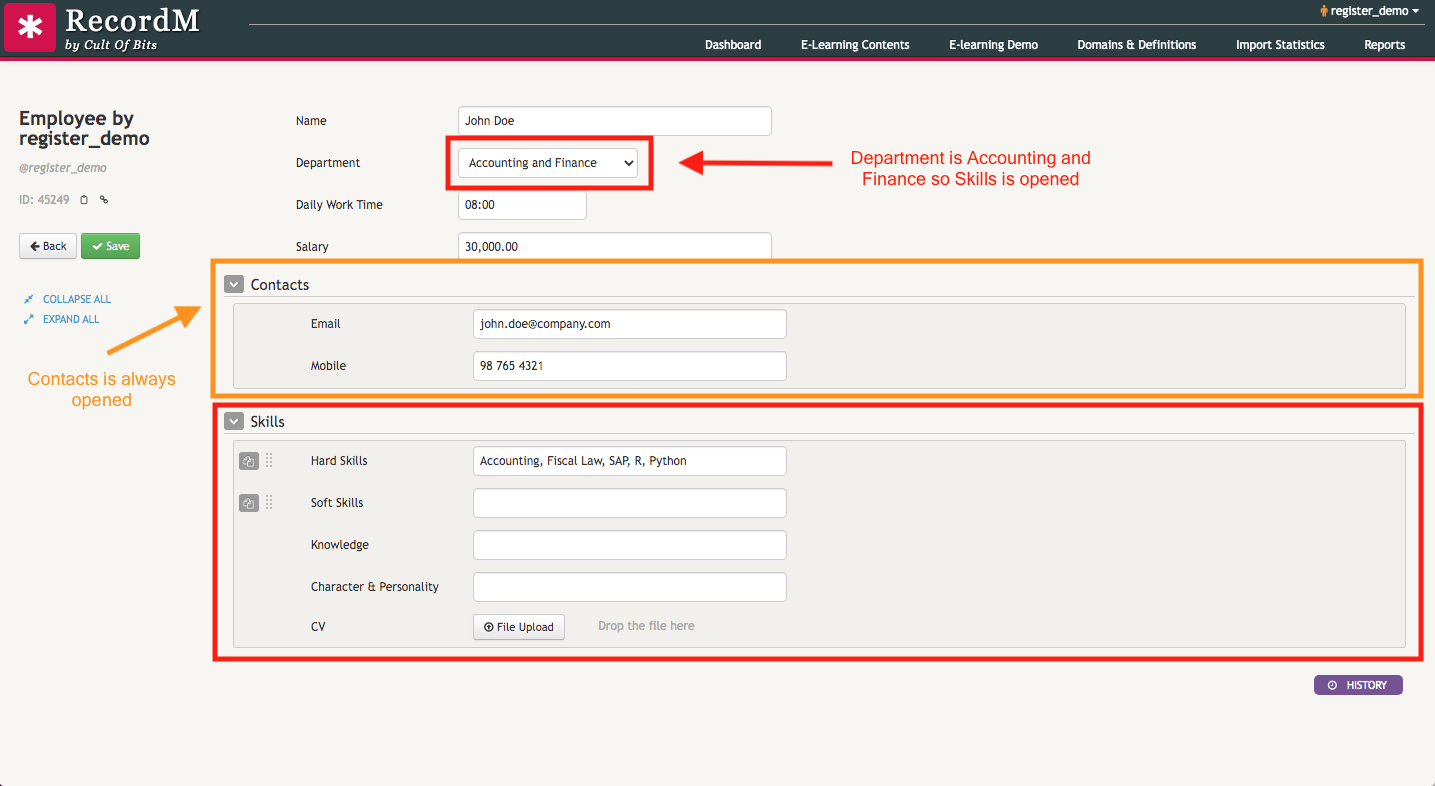
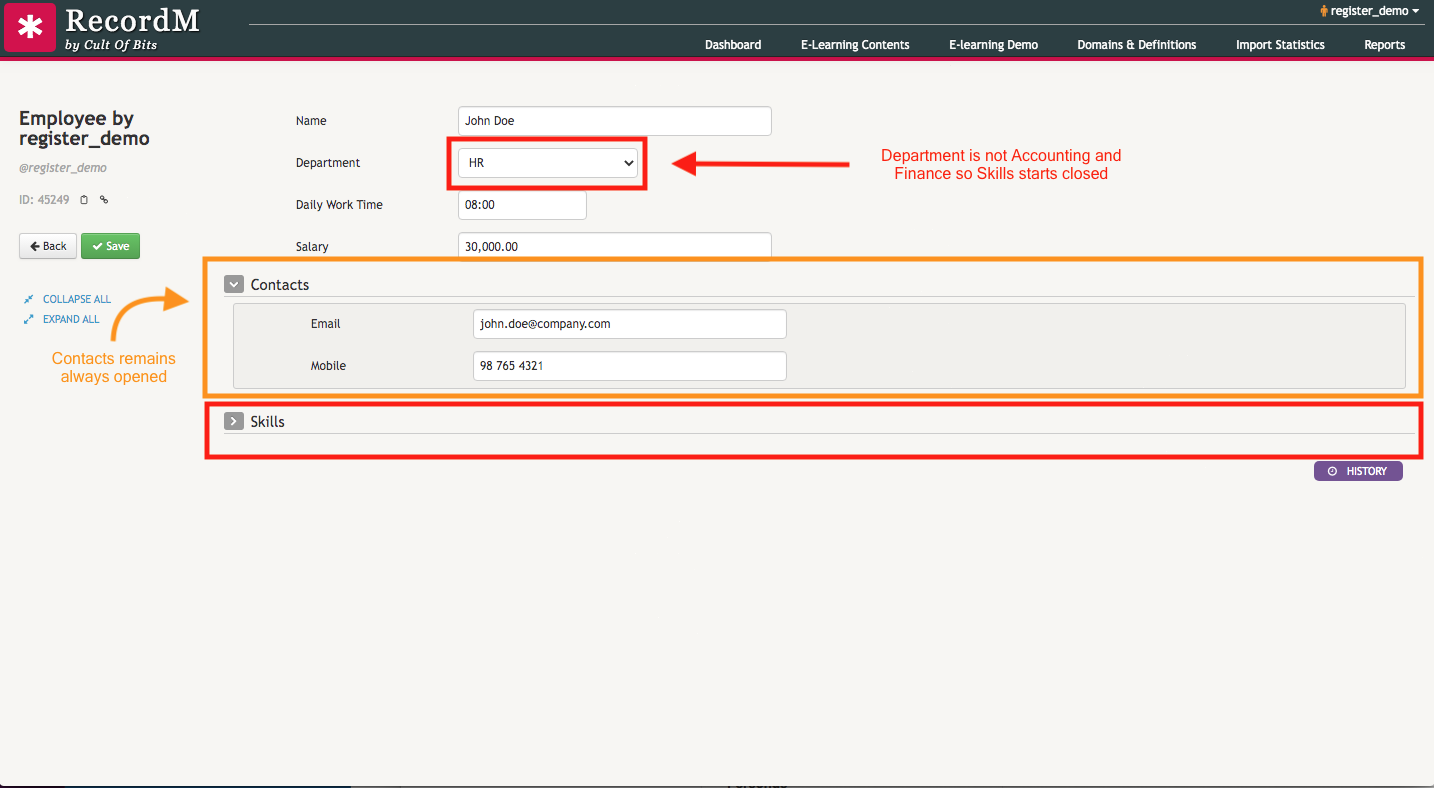
Below you will find an example of the $expanded keyword in action:
2. With an empty value assigned to a field:
$expanded(fieldx=) - the parent field is never expanded;
$expanded(fieldx!=) - the parent field is always expanded, regardless of the field given as a property.
Here is a video that explains the difference between the two options: