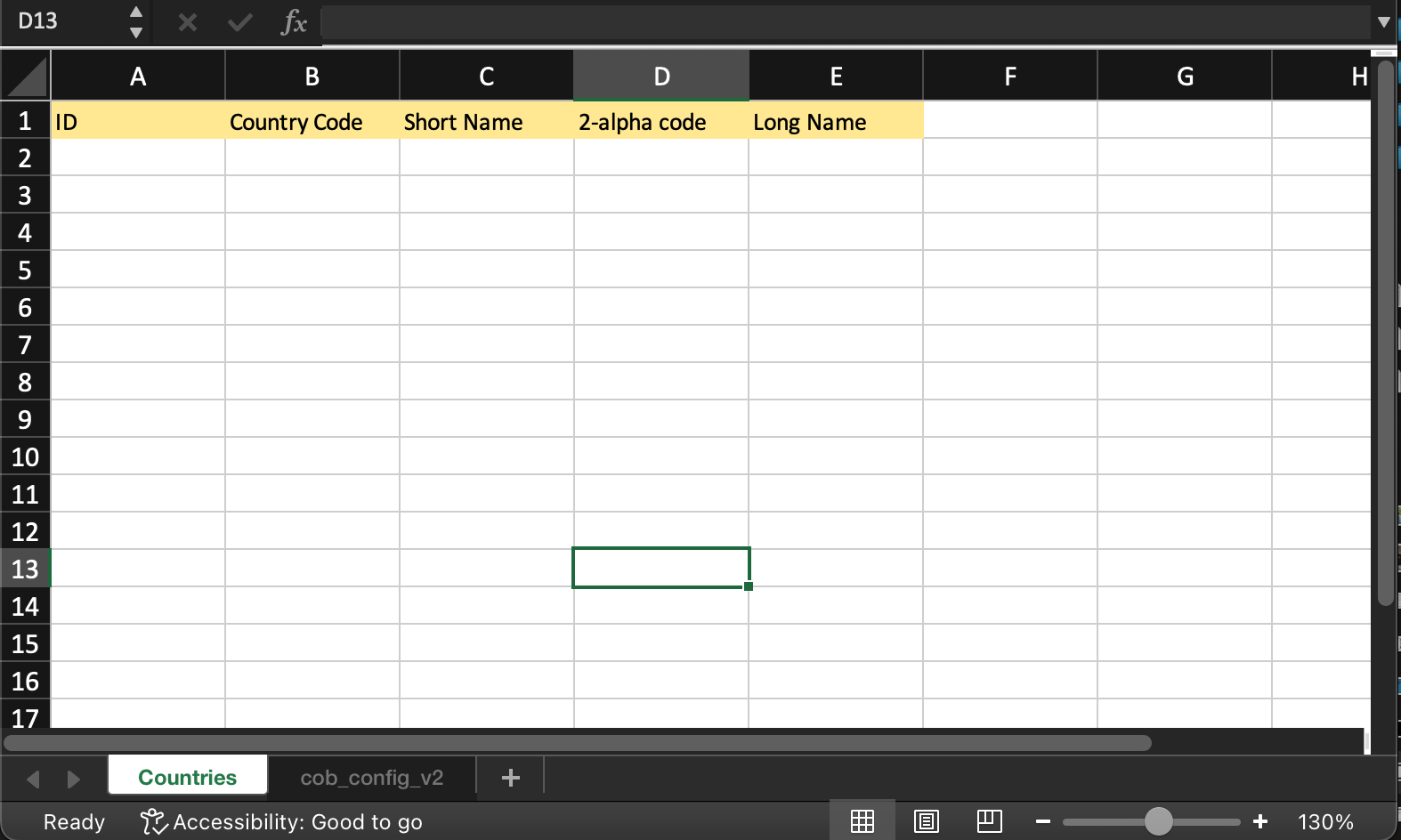
Excel Template Configuration
The initial step in creating a new report involves defining its report template. This template is an Excel file containing a designated sheet named cob_config_v2. Here, you'll specify the data to extract from the platform and where it should be recorded.
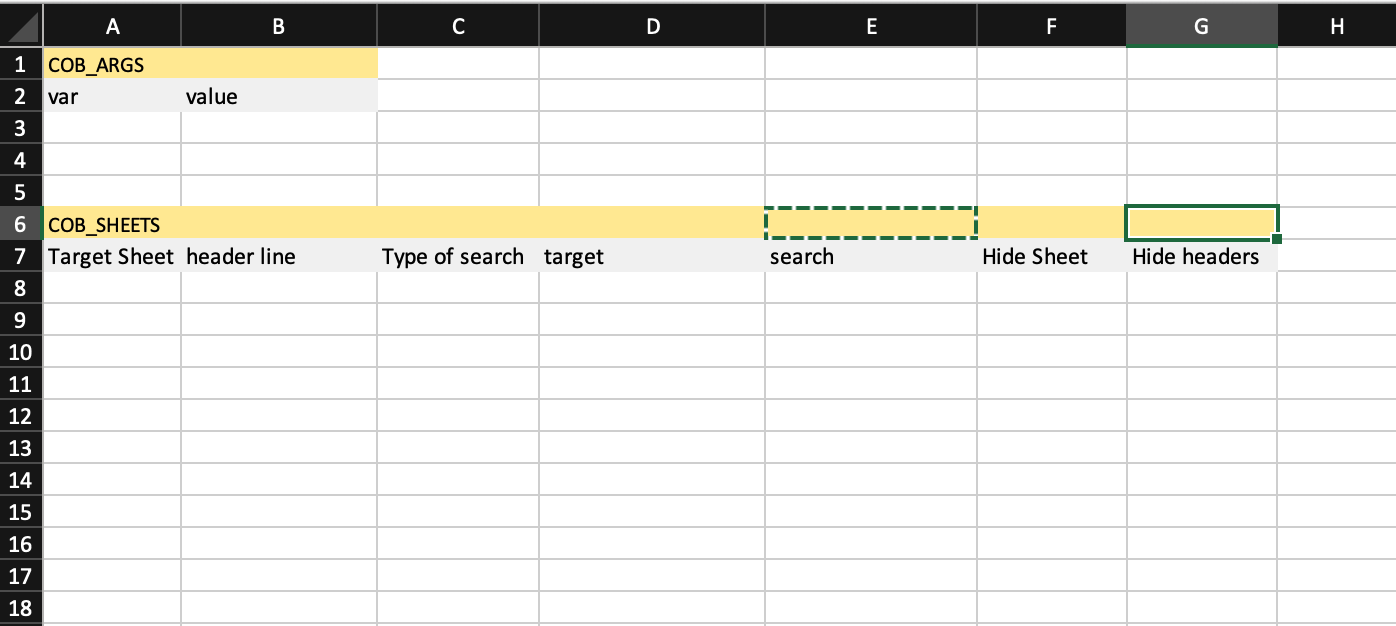
As you see in the image above, this special sheet is divided into two blocks:
COB_ARGS: The section where you'll specify the arguments utilized in your reportCOB_SHEETS: The location to specify what data to extract and where to record it.
COB_ ARGS
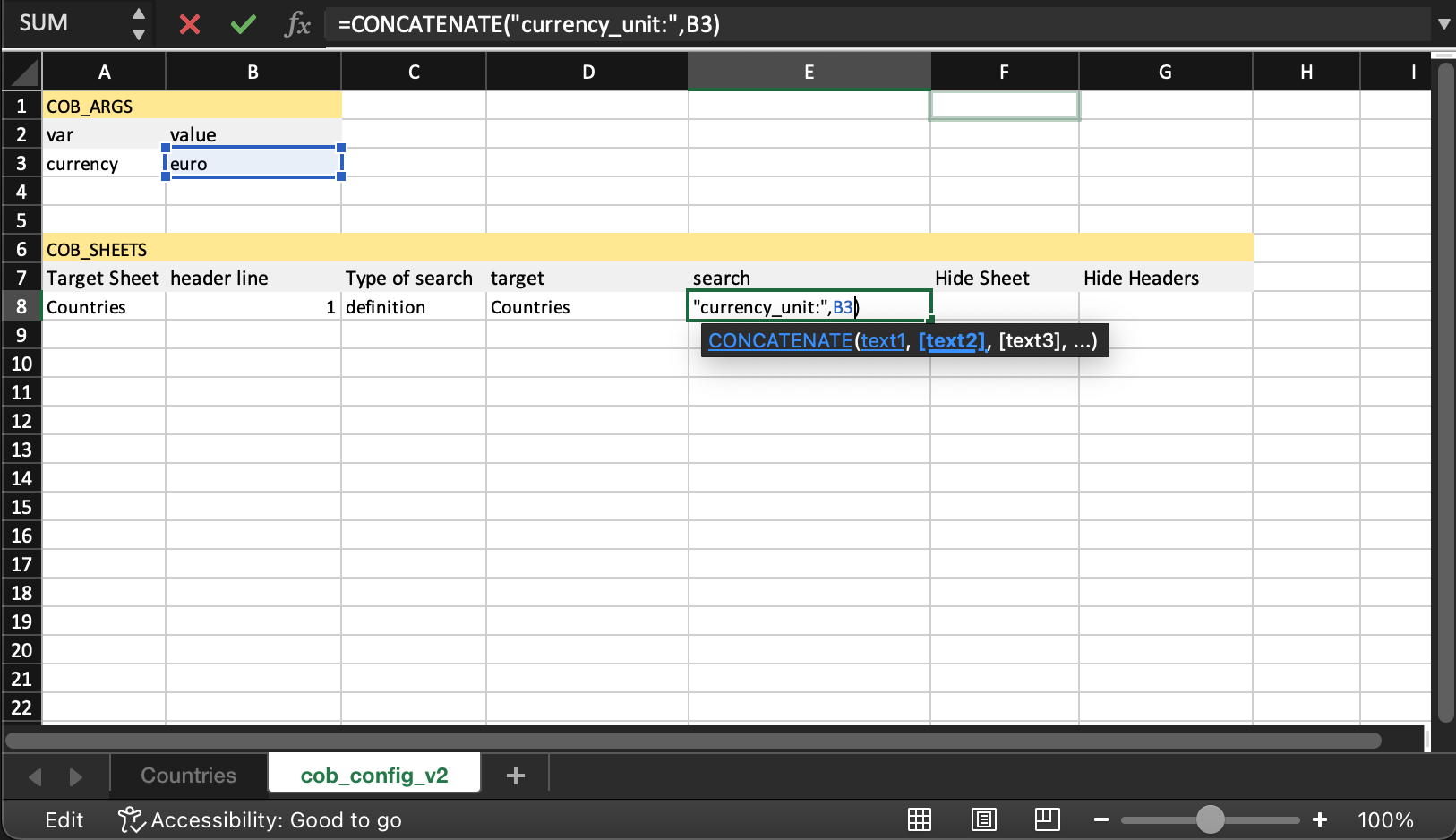
This section functions much like a key-value store. On the left, you specify the variable name, and on the right side, you define its value.
TIP
Certain formulas are supported. For instance, you can utilize the function concatenate to construct dynamic queries within Excel.
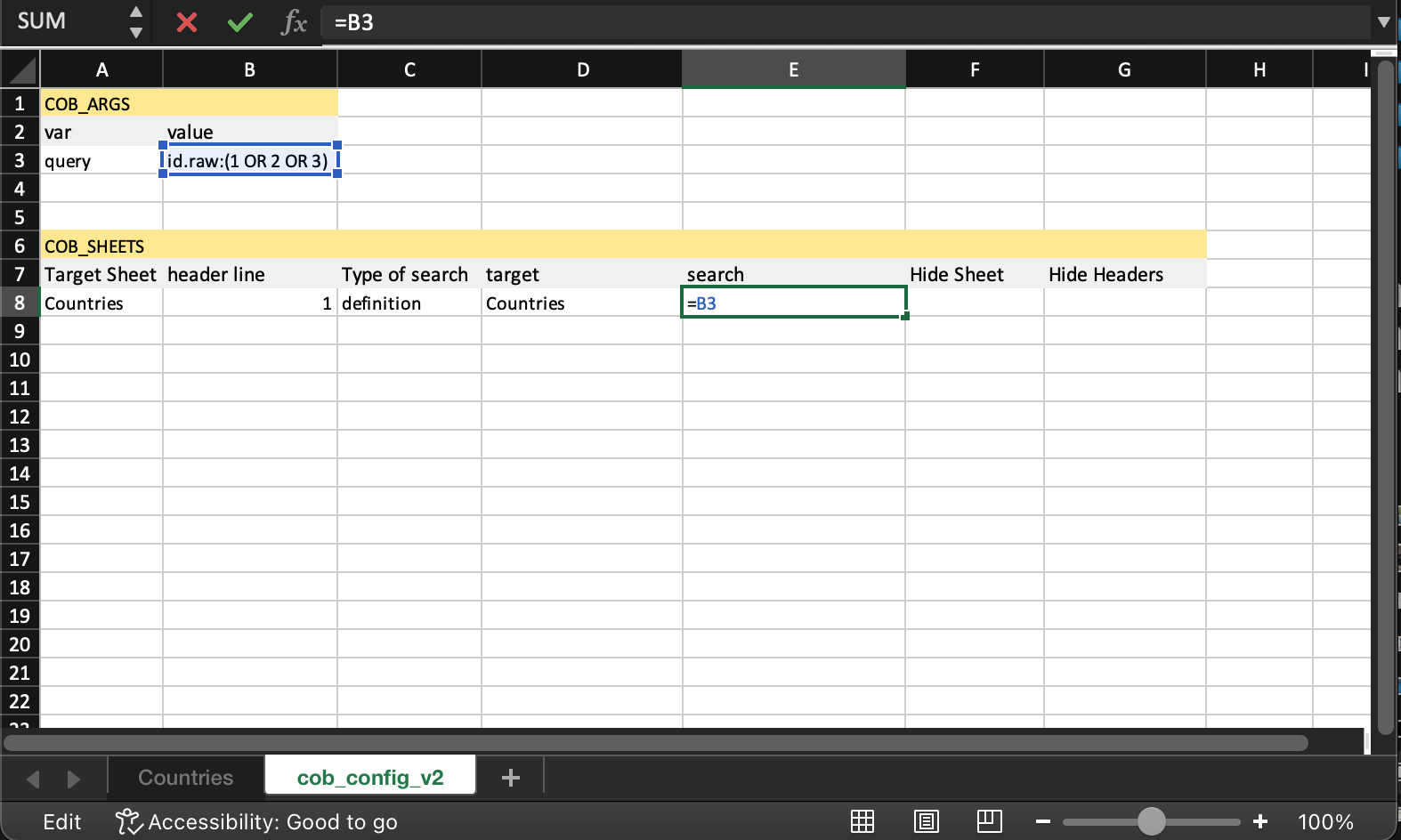
The specialquery variable
When working with reports that require receiving the selected rows from the search definition, you need to use a variable named query. This variable will hold a query string containing the IDs of all selected records in the format id.raw:(id1 OR id2 OR ...).
COB_ SHEETS
As seen before, the columns required for this section are:
| column | description |
|---|---|
Target Sheet | The sheet where the data will be written. |
Header Line | The line with the field names that we want to pull information |
Type of search | The type search. Supported values are: definition, domain, elasticsearch |
Target | Based on the type of search, it can the definition name, or the domain name or the elasticsearch index, respectively. |
search | The query to execute |
Hide Sheet | If at the end of the report the sheet should be hidden |
Hide Header | If at the end of the report the headers line should be hidden |
For each line added under COB_SHEETS, a new sheet will be included in the final report if it is not already present.
As seen in the example above and with the following Countries sheet, you are defining that the information that we want extract is:
- ID
- Country Code
- Short Name
- 2-alpha code
- Long Name