
$readonly - Read-only Fields
This keyword marks a field as read-only for all users. This means that, although the field is displayed, its value cannot be edited — i.e., updated. The data input box of a field built with the $readonly keyword will appear greyed out at the instance level and the stored value cannot be changed.
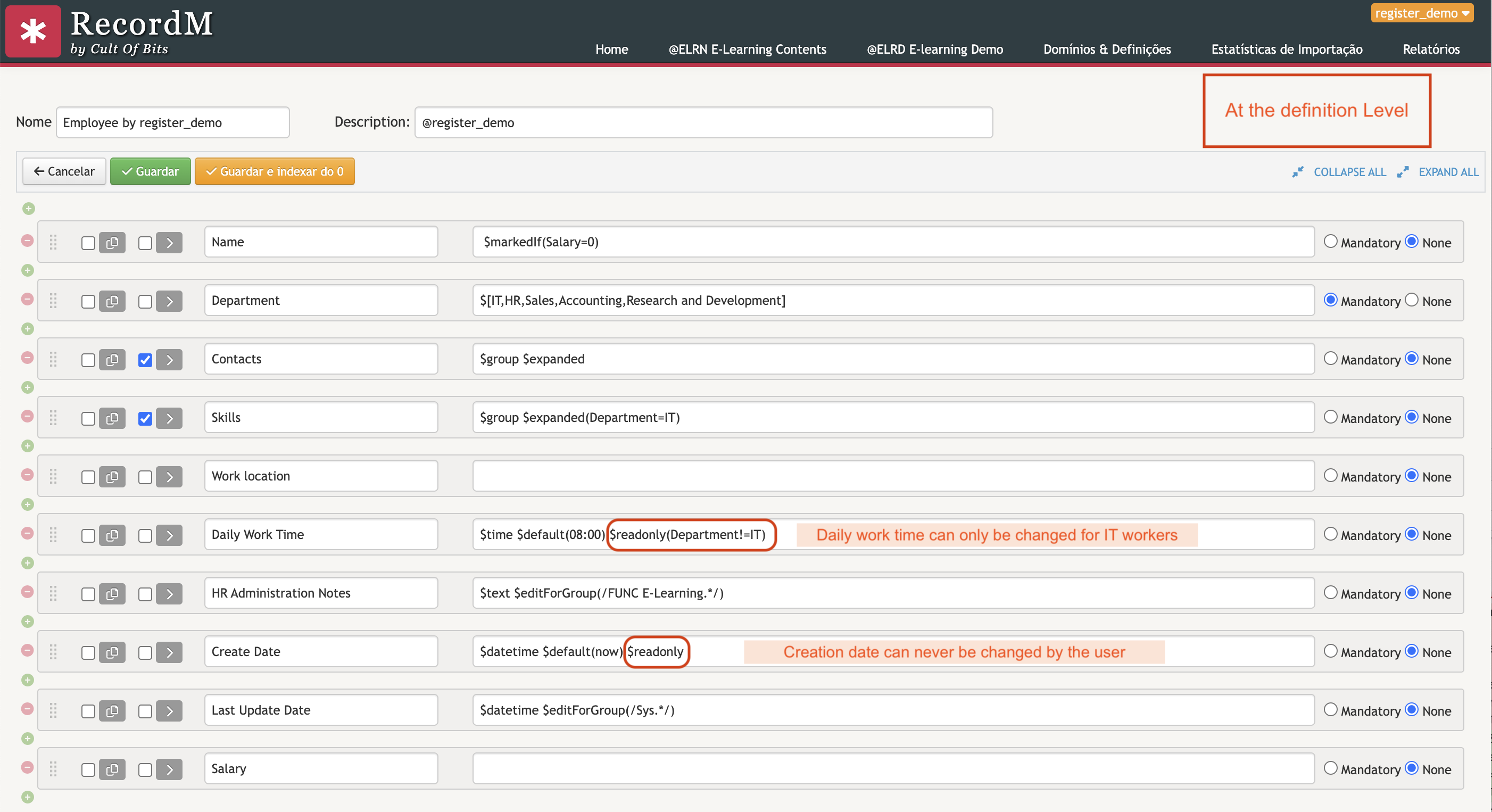
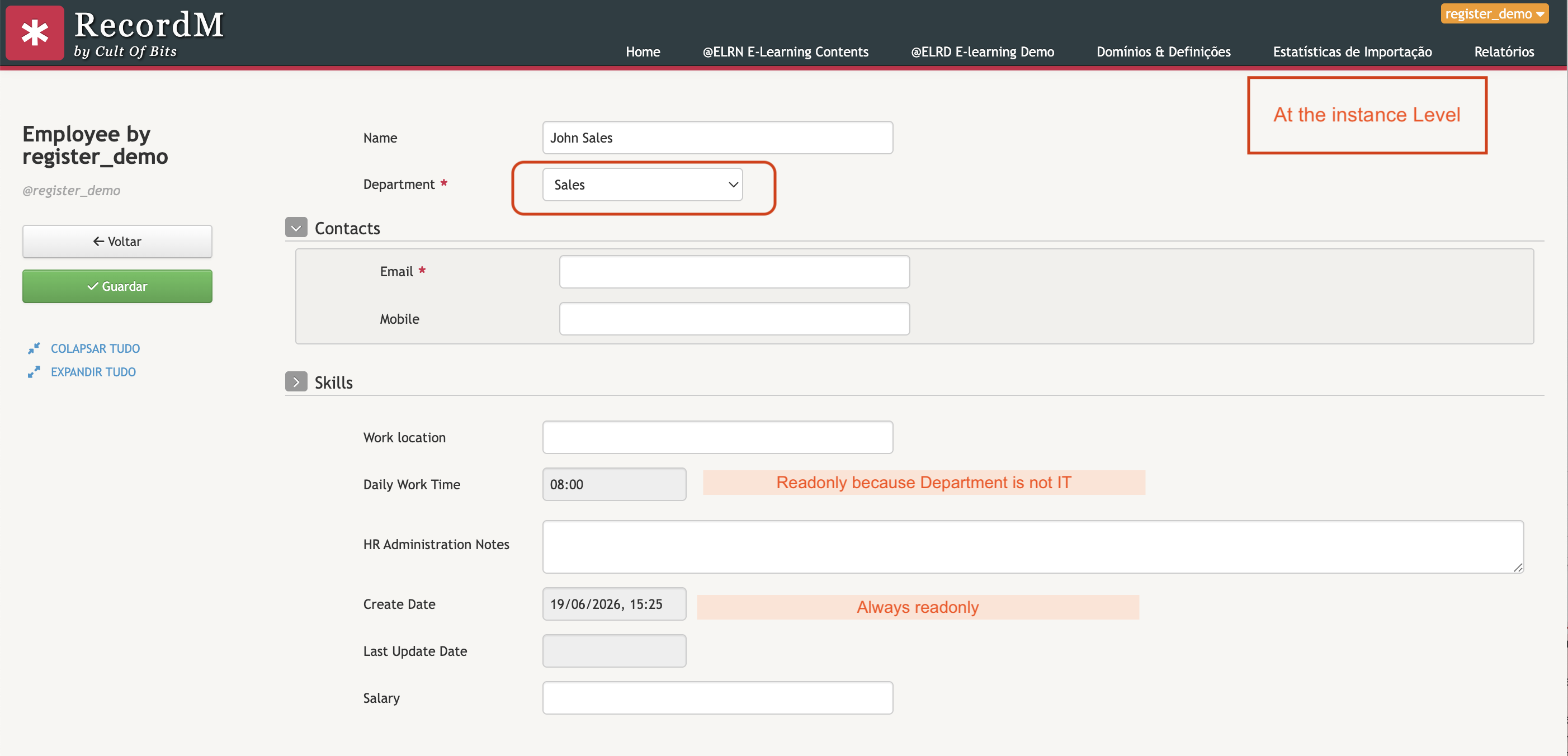
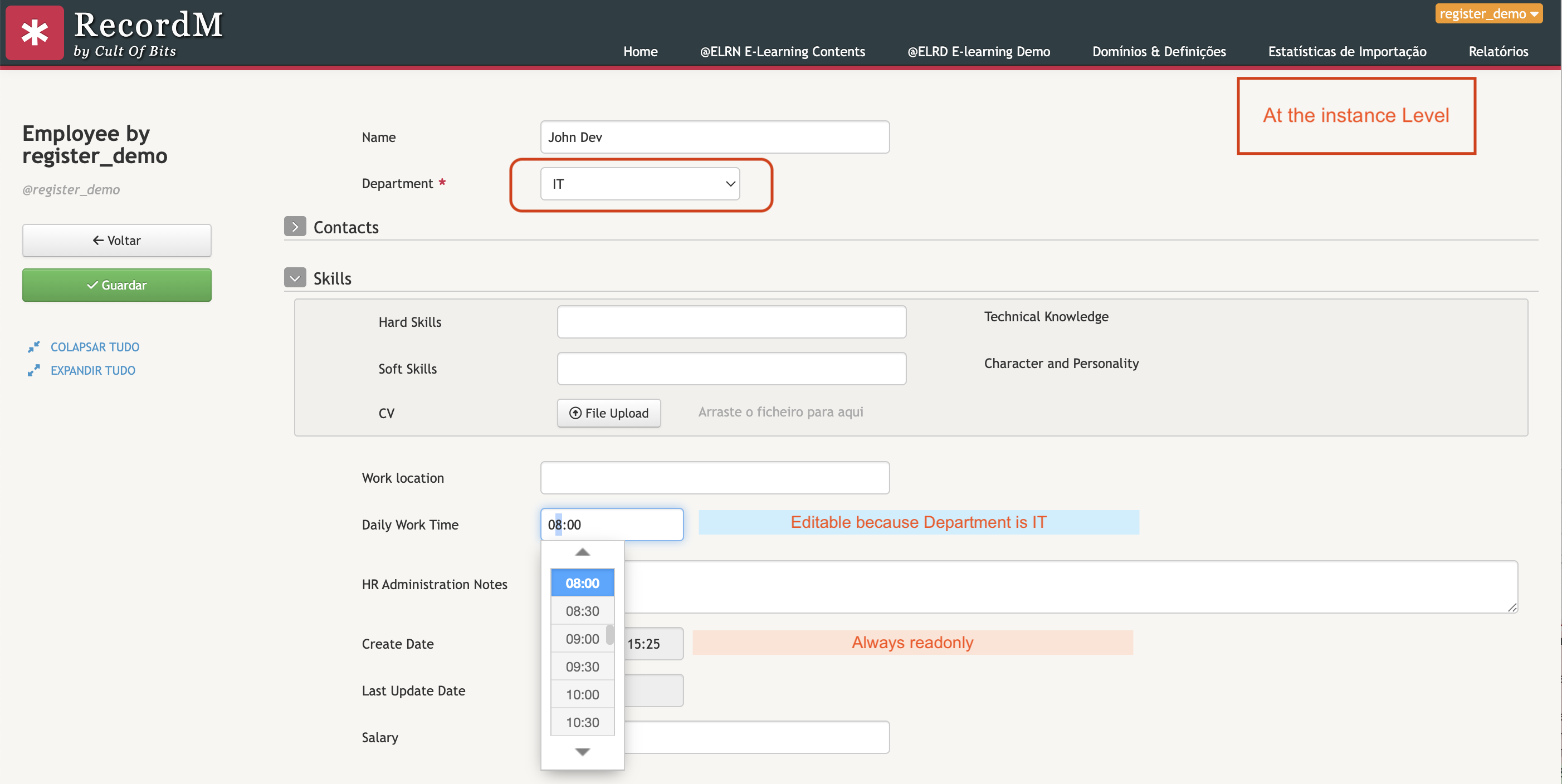
$readonly can be used unconditionally (always read-only) or with a condition, making the field read-only only when that condition is true.
Usage
$readonly$readonly(<Field Name> [=, !=] [value])Mode descriptions
| Form | Behaviour |
|---|---|
$readonly | The field is always read-only, for all users and regardless of the record's state. |
$readonly(Field=value) | The field is read-only when the field Field has the value value. |
$readonly(Field!=value) | The field is read-only when the field Field does not have the value value. |
$readonly(Field=) | The field is read-only when the field Field is empty. |
$readonly(Field!=) | The field is read-only when the field Field is not empty (i.e. has any value). |
Note:
Field Namerefers to another field in the same definition. The condition is evaluated dynamically based on the current value of that field.
Examples
Always read-only field
$readonlyUseful for fields whose value is set automatically (for example, by integrations or scripts) and should never be changed manually.
Field read-only when another field has a specific value
$readonly(Status=Closed)The field becomes read-only when the Status field has the value Closed. Whilst Status has any other value, the field remains editable.
💡 Special case
Field editable only when creating a record
$readonly(id!=-1)The
idfield of a record has the value-1whilst the record has not yet been saved (i.e., during creation). Once the record is created and receives a definitiveid, the field becomes read-only.This pattern is useful for fields that should only be filled in once, at the time of creation — such as a reference code or a record type.