Adding a Survey
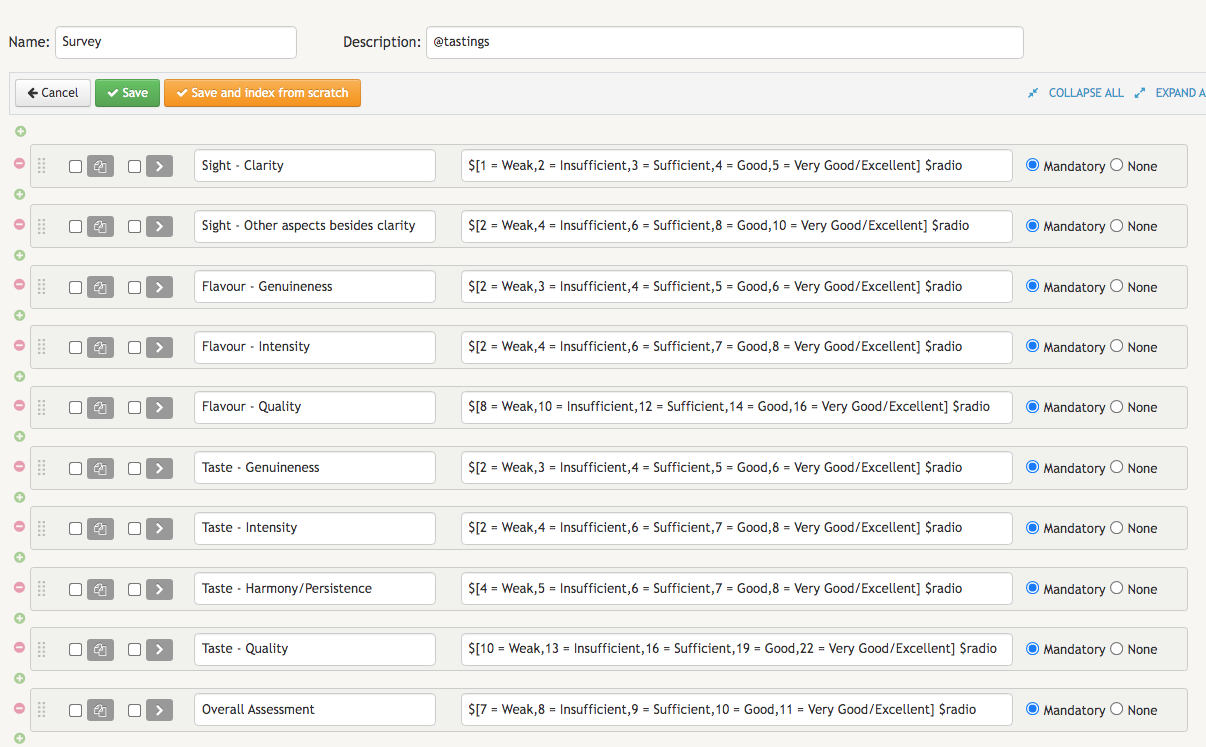
We have created a definition for adding Wines and another for Wine Tasters. But we still need to build the Survey. The fields that will identify our Surveydefinition will contain the 10 evaluation criteria mentioned in the introduction:
Sight - Clarity;Sight - Other aspects besides clarity;Flavour - Genuineness;Flavour - Intensity;Flavour - Quality;Taste - Genuineness;Taste - Intensity;Taste - Harmony/Persistence;Taste - Quality;Overall Assessment;
These 10 evaluation criteria will have the same qualitative scale - ranging from Weak to Very Good/Excellent -, but each of them will have a different weighting. The final grade of a wine will vary between 50 and 100 points. When answering the survey, the wine taster will have to click on a radio button to select the option he/she agrees with the most. For the sake of readability, we opted for a radio button in each field instead of a dropdown menu. To do that, you just need to add the type $radio next to the list of values we will be using.
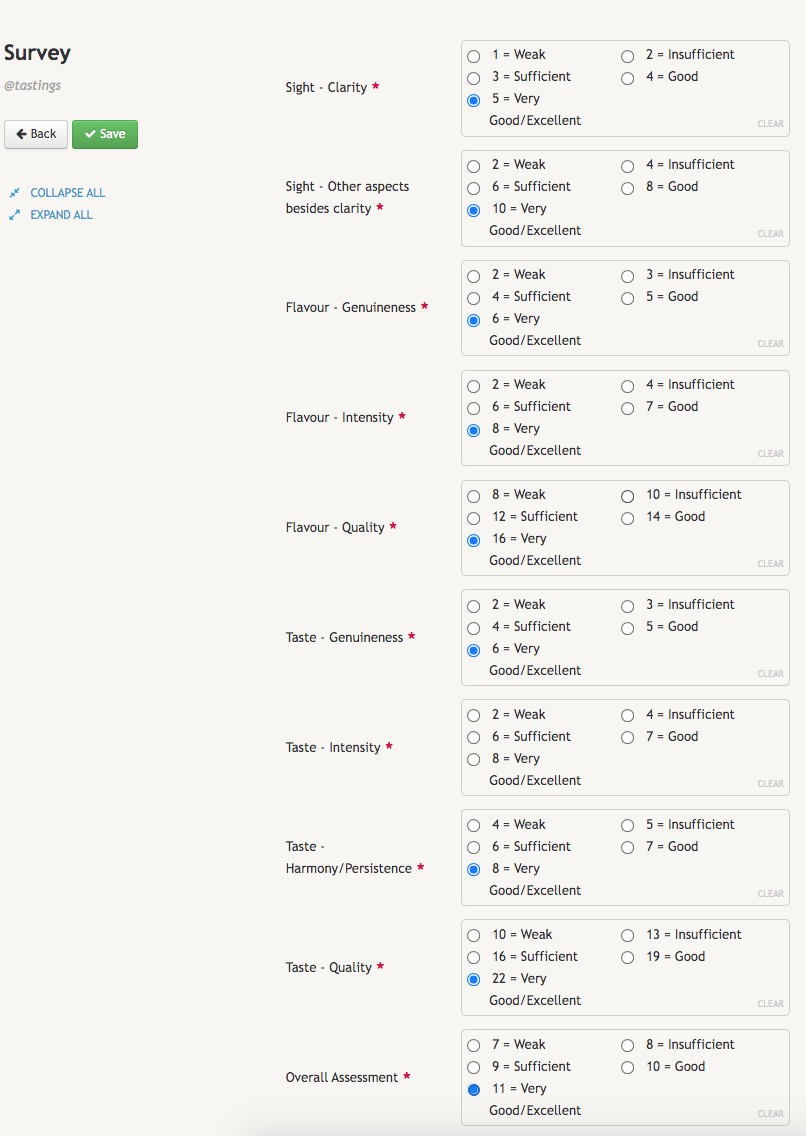
In the image below, you can check the looks of this provisional version of our Survey. You can easily see that there are no fields for identifying neither the event nor the wine, not to mention the name of the wine taster who is filling this survey. We will add these missing fields once we have created all the definitions.