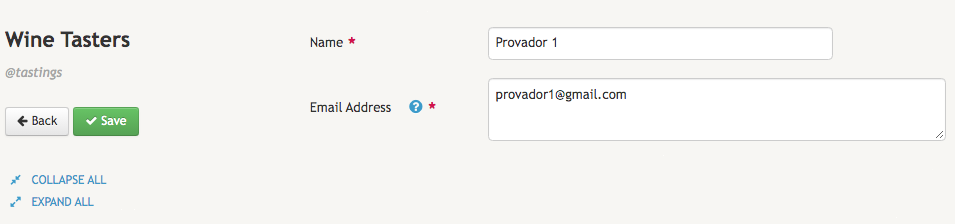
Adding Wine Tasters
Besides Wines, we also need Wine Tasters. As such, we need to create a definition for adding contact information about each wine taster. Here we will only need to create two fields: One for the Name of the person and another for the Email Address of that person.
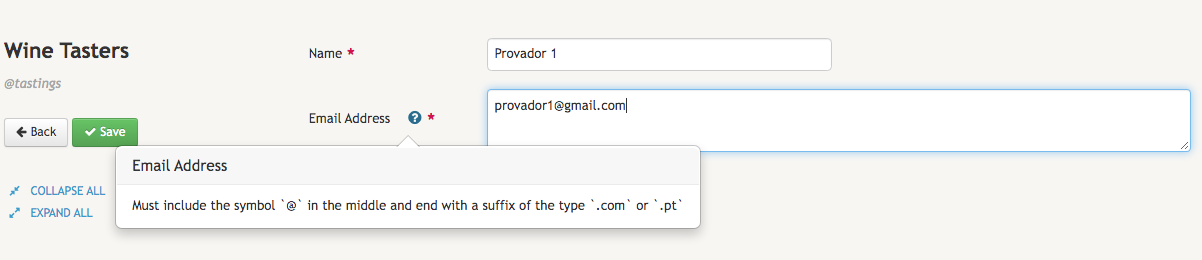
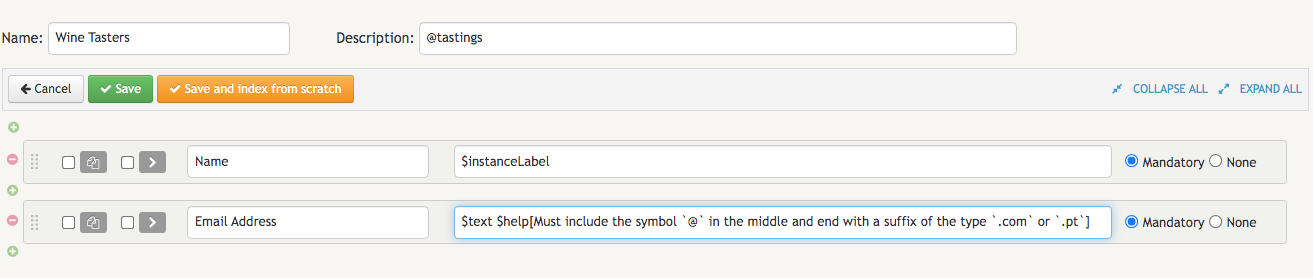
Because we want Name to always be featured prominently in the search results whenever we search for a wine taster, we will configure this field with the type $instanceLabel. Additionally, we also add the type $text to the description box of the Email Address, since some people have more than one email account. Because we want the user to add a real email address with an "at" - @ - symbol in the middle and ending with a suffix of the type .comor .pt, we will add the type $help[] and a parameter with an appropriate explanatory note. When adding a wine taster, the organizer will thus be presented with the following message whenever he/she overs the mouse over the blue circle with the white question mark:
The complete configuration of the Wine Tastersdefinition will be the same as the one depicted here:
When the business owner finishes adding the first wine taster, the corresponding data record will be similar to the following screen: