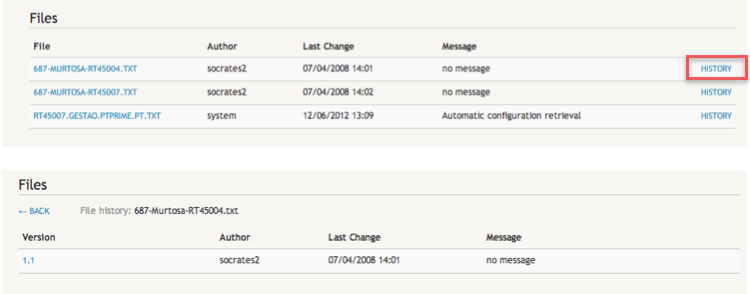
Editing Device Information
To edit the information about a device, click on the Equipments tab located on the top navigation bar.
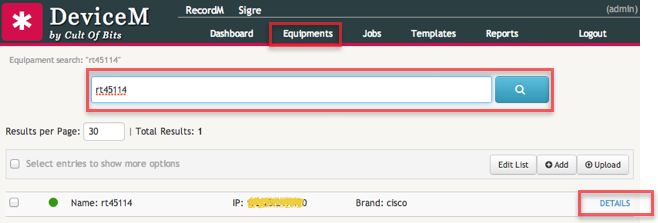
Search for the device by entering a search query. In the above example we searched for the device with the name rt45114. Search terms can include any of the device properties: Brand, IP, Email, etc.
Once the application returns a list of devices matching the query you searched for, you can easily edit the information of each device by clicking on the DETAILS link.
The details page of a device is divided in tree sections:
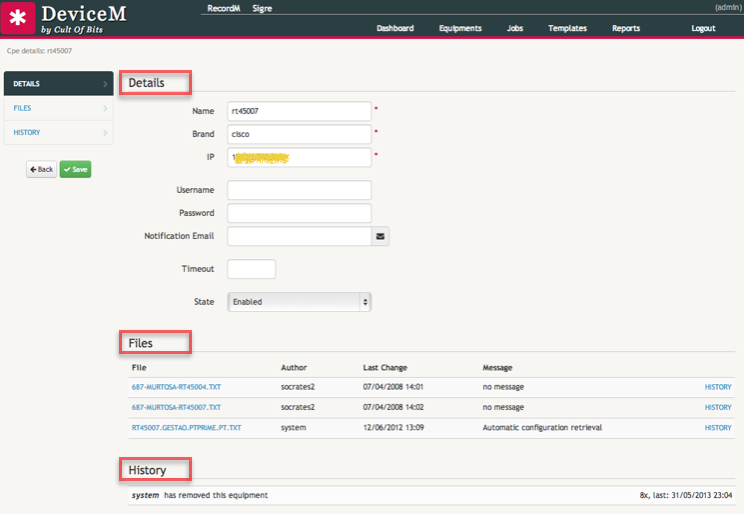
The first, Details, contains the same information already described here. The second section, Files, includes the configuration files collected from the device in previous interactions. The CoB platform tracks all changes made in the configuration files. This allows the user to check the full history of changes previously made to each file.
To view the change history of a file, click on the History link located in the rightmost cell of the entry row corresponding to the file you want to check.